

Web Captures
How do I edit a Capture after adding it to a Flow?
How do I edit a Capture after adding it to a Flow?
How do I edit the background when a popup or modal is present?
How do I edit the background when a popup or modal is present?
Magic Editors and Overlay and select Ignore Overlay. You may have to remove the Overlay on a few different layers before being able to access the element you are hoping to edit.How do I edit text in my Captures?
How do I edit text in my Captures?
I am unable to load the Chrome Extension.
I am unable to load the Chrome Extension.
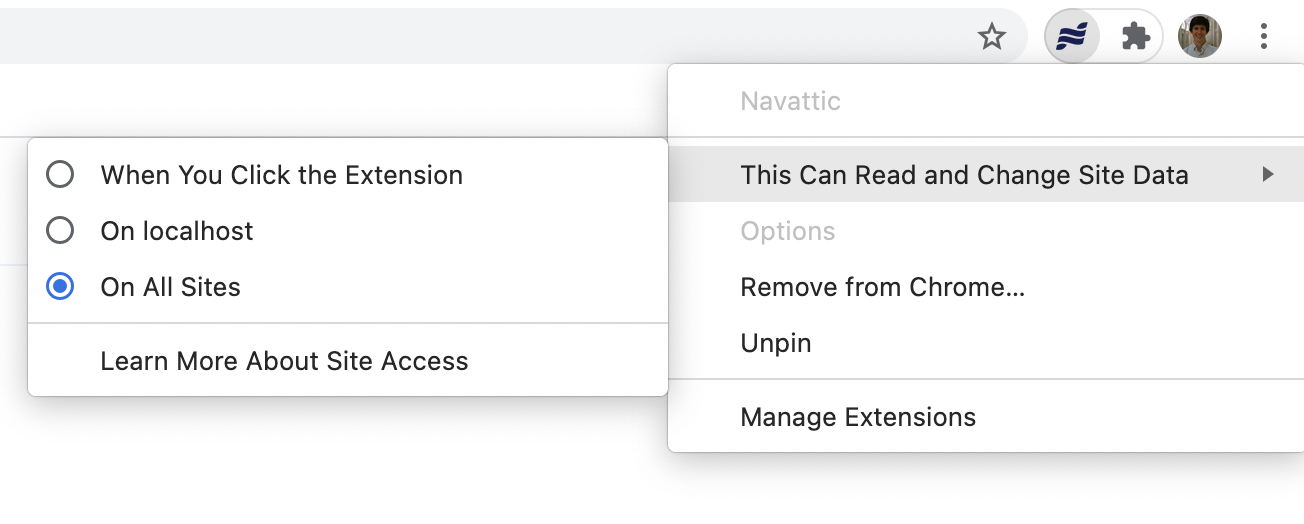
- Click on the Navattic icon in the Chrome extension bar. If it’s not visible click the puzzle icon and select it from the dropdown menu (click the pin to add it to the extension bar).
- Open the tab “This Can Read and Change Site Data”
- Select the appropriate sites
-
Refresh app.navattic.com and any pages that you have open where you want to run the extension.
How can I take a Web Capture of a Figma file?
How can I take a Web Capture of a Figma file?
Copy your frames from Figma Design
Paste into Figma Sites
Preview and capture
Media Captures
Can I add device borders to a screenshot?
Can I add device borders to a screenshot?
How can I get my screenshot to better fit the device borders?
How can I get my screenshot to better fit the device borders?
Can I edit a media capture using the Capture Editor?
Can I edit a media capture using the Capture Editor?
How do I avoid the need to scroll when using a device border?
How do I avoid the need to scroll when using a device border?
Flows
How do I add additional media files to a Flow?
How do I add additional media files to a Flow?
How should I end my Flow?
How should I end my Flow?
+ to add a Button to the Modal or Tooltip, or hide Navigation Buttons on the last step if needed. This will make it clear to your end user that they have completed the demo and encourage them to convert.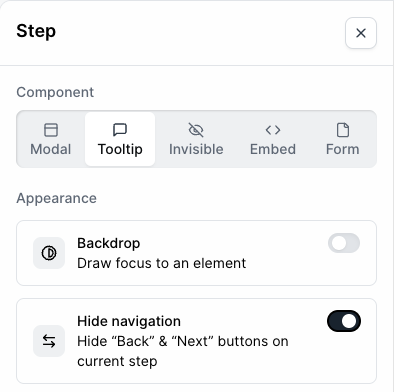
How can I highlight multiple elements in a single step?
How can I highlight multiple elements in a single step?
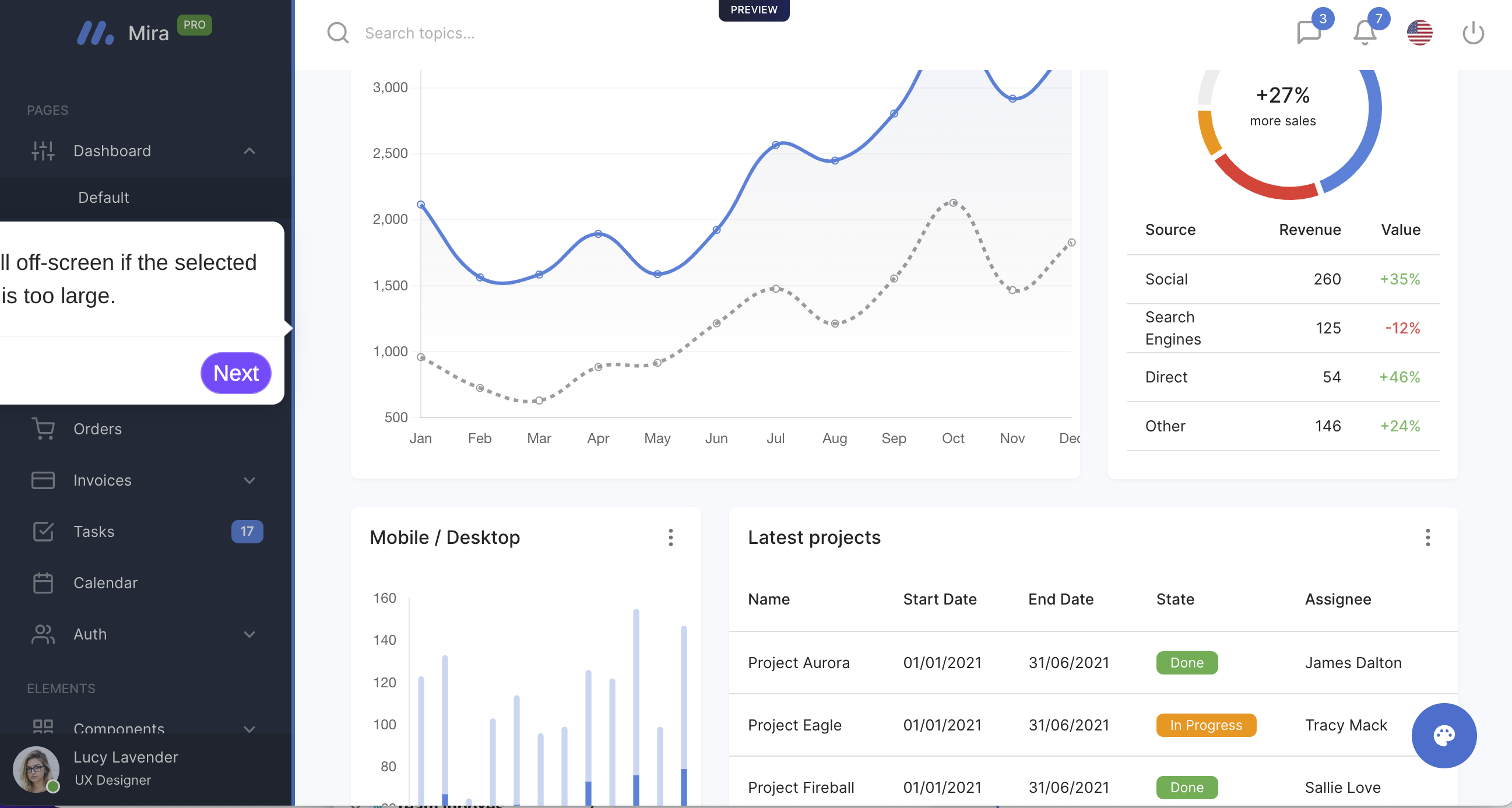
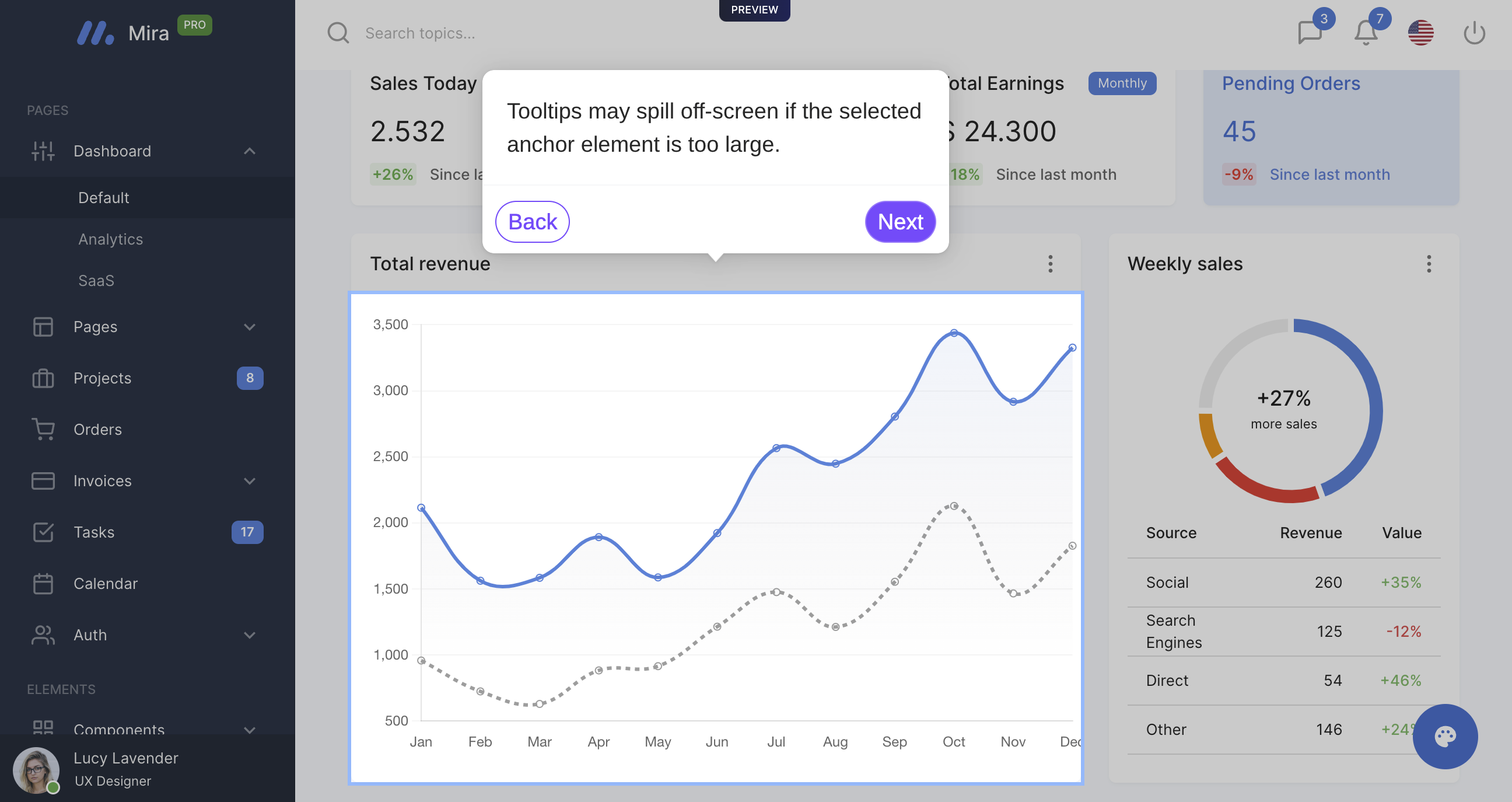
How do I fix a Tooltip that appears to run offscreen?
How do I fix a Tooltip that appears to run offscreen?
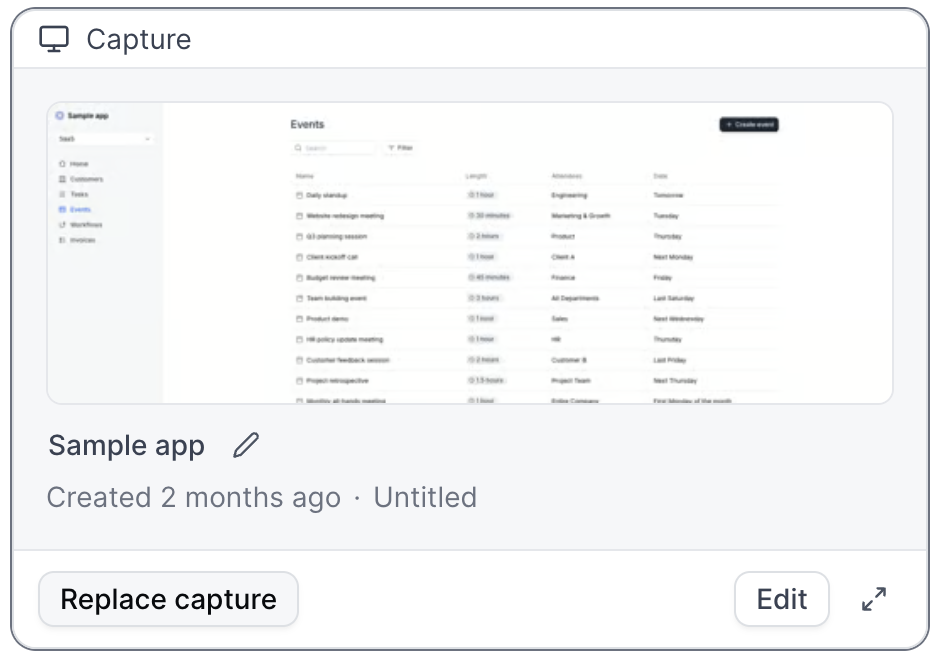
How do I replace Captures within a Flow?
How do I replace Captures within a Flow?
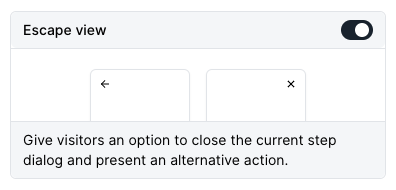
How will the Escape View appear in a Flow?
How will the Escape View appear in a Flow?
When should I include a Form in my demo?
When should I include a Form in my demo?
I am unable to select elements within the Flow builder.
I am unable to select elements within the Flow builder.
How do I enable a text input trigger?
How do I enable a text input trigger?
Can I highlight elements without using Tooltips?
Can I highlight elements without using Tooltips?
Can I make edits across multiple steps at once?
Can I make edits across multiple steps at once?
- Updating all beacons to triggers
- Turning multiple modals into tooltips
- Changing all beacons to have a highlight appearance instead of pulse
- Deleting multiple beacons or triggers at the same time
- Copying or Moving Steps to other Flows within your demo or to other Demos
- Deleting multiple steps at the same time
- and more!
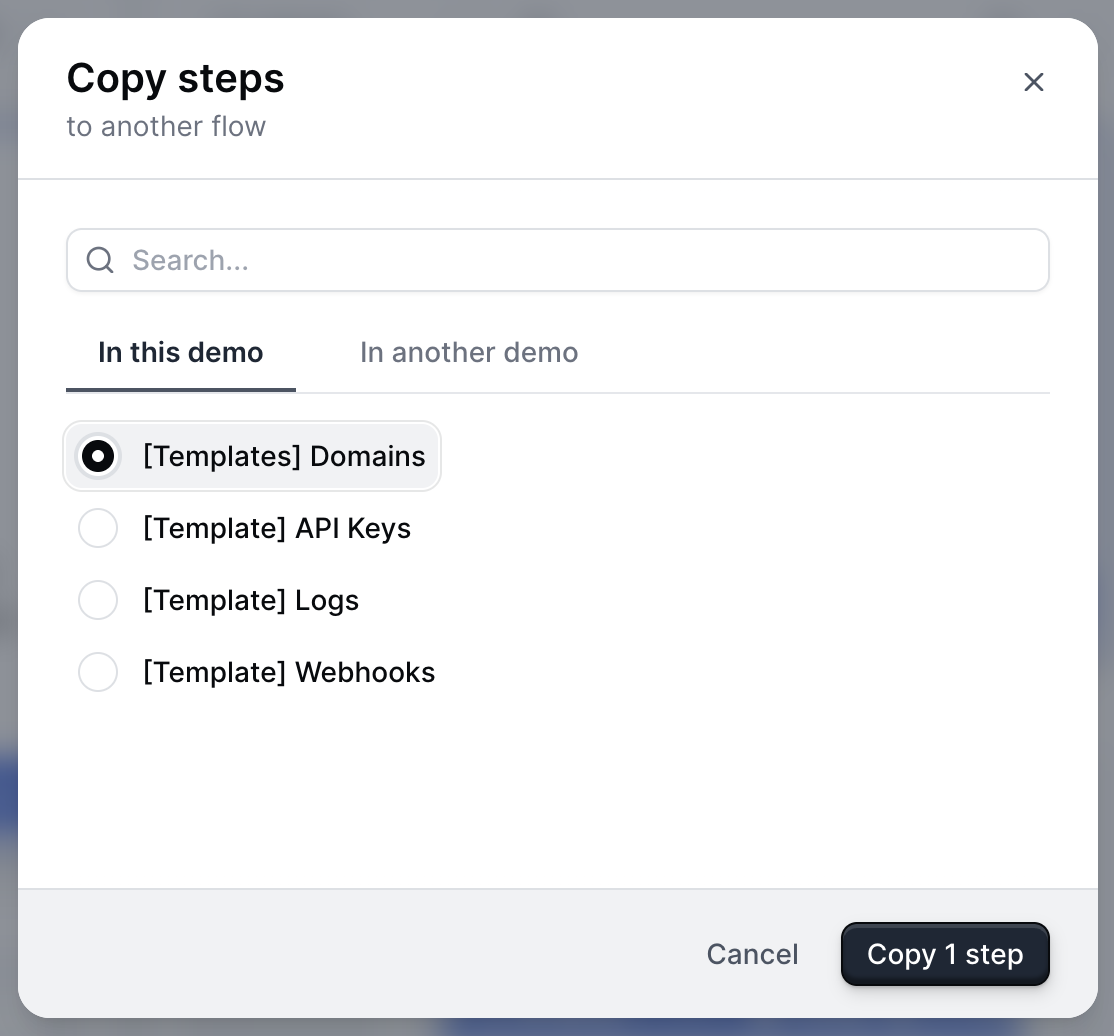
Can I copy or move steps into another Flow?
Can I copy or move steps into another Flow?
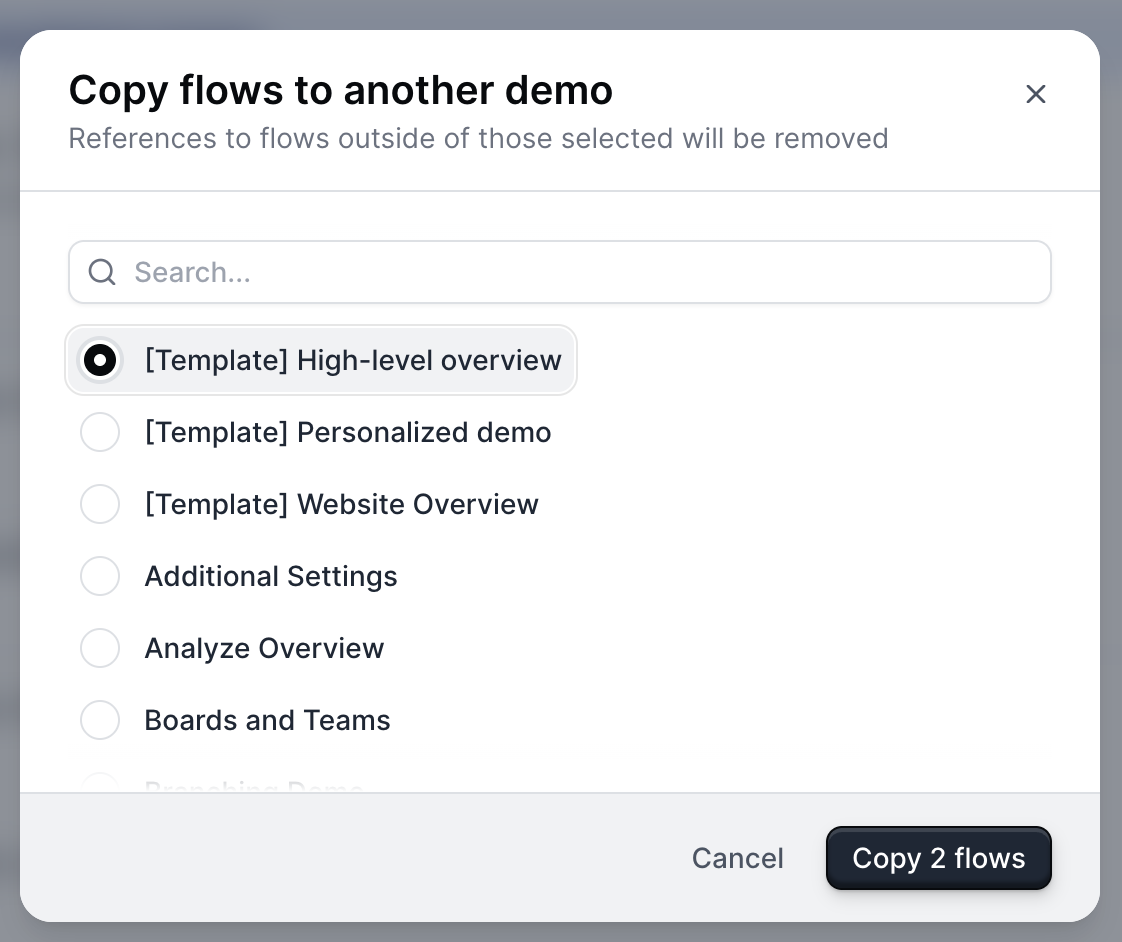
How do I copy or move a flow to another Demo?
How do I copy or move a flow to another Demo?
Checklists
How do I make a Checklist appear for the viewer?
How do I make a Checklist appear for the viewer?
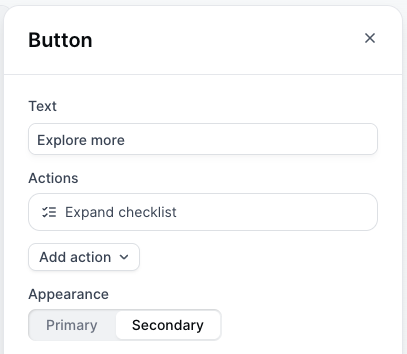
How do I adjust the appearance of my Checklist?
How do I adjust the appearance of my Checklist?
- Adjust the shape and size of your Checklist Launcher
- Change the color of the checkmark
How do I view the Checklist created?
How do I view the Checklist created?
How do I move my Checklist to the left or right of the screen?
How do I move my Checklist to the left or right of the screen?
How do I reset my progress in a Checklist?
How do I reset my progress in a Checklist?
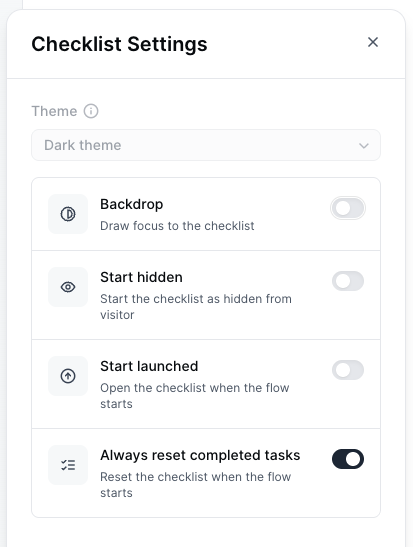
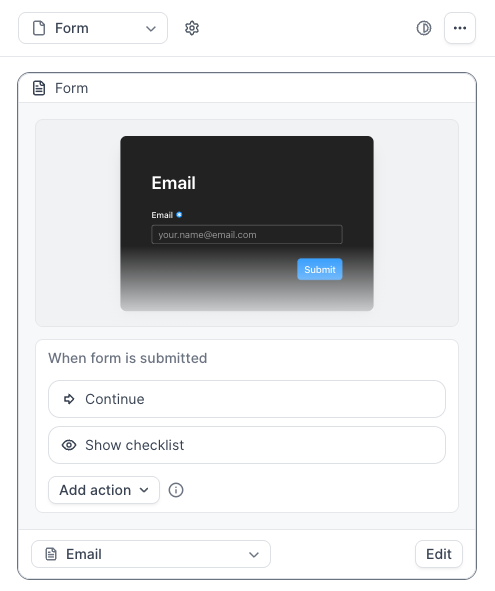
How do I hide my Checklist until after a Form is submitted?
How do I hide my Checklist until after a Form is submitted?
Share
How do I customize Product Demo links for sharing?
How do I customize Product Demo links for sharing?
How do I remove responsiveness from my Product Demos?
How do I remove responsiveness from my Product Demos?
How do I create a .GIF or Video (.MP4) of my Product Demos?
How do I create a .GIF or Video (.MP4) of my Product Demos?
How do I optimize a demo of a Mobile App for viewing on Mobile Devices?
How do I optimize a demo of a Mobile App for viewing on Mobile Devices?
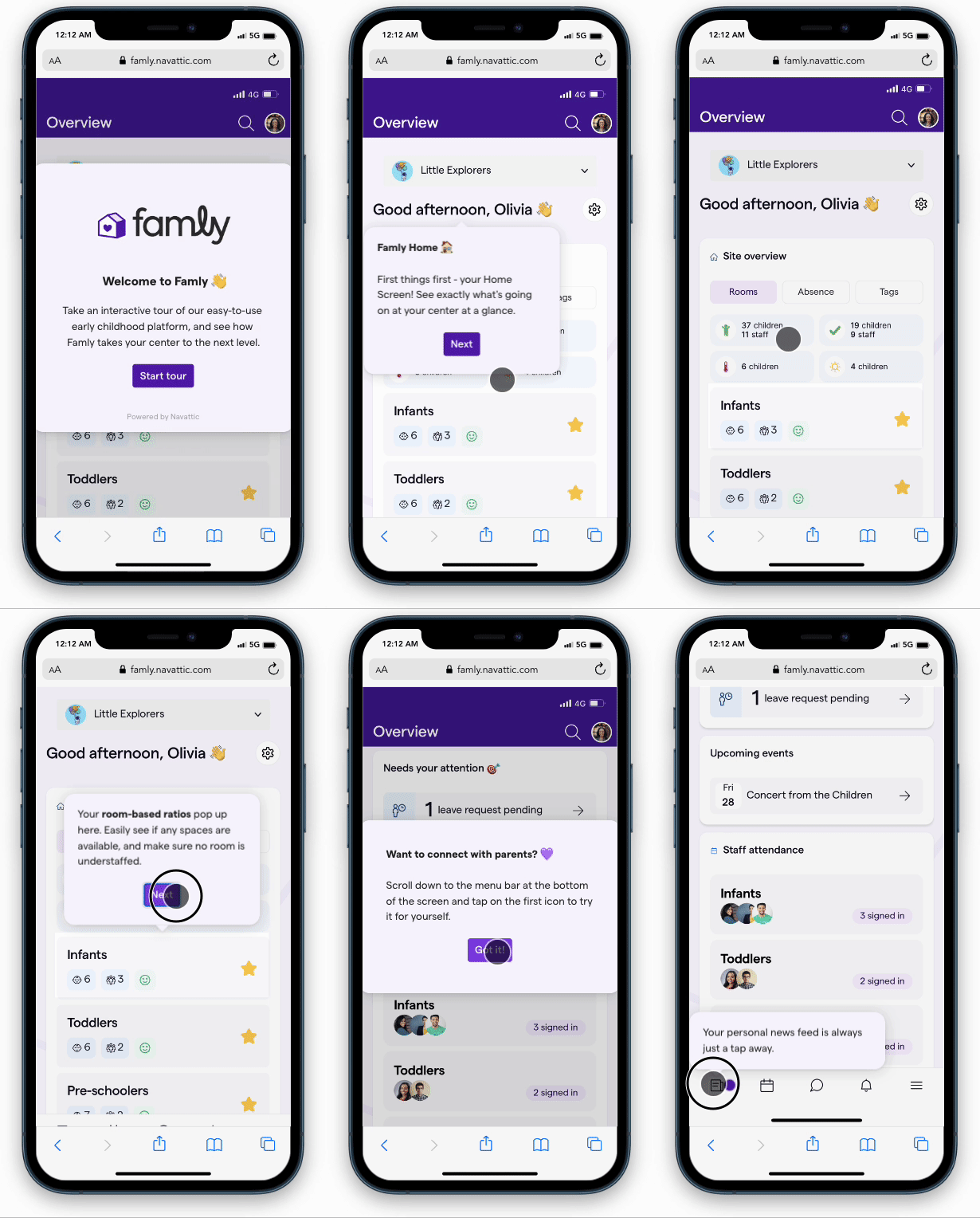
- If you are creating a demo of a Mobile Website rather than a Mobile App, here is a tutorial for taking scrollable screenshots of a Mobile Website. GoFullPage is a helpful browser extension for this.
- Use Tooltips rather than Modals to create an engaging experience
- Add a heavy backdrop to steps that include a Tooltip. This helps highlight important elements, even on a smaller mobile screen
- Add Beacons when necessary to show users where to click
- Include Navigation buttons to help users easily progress thorugh the demo
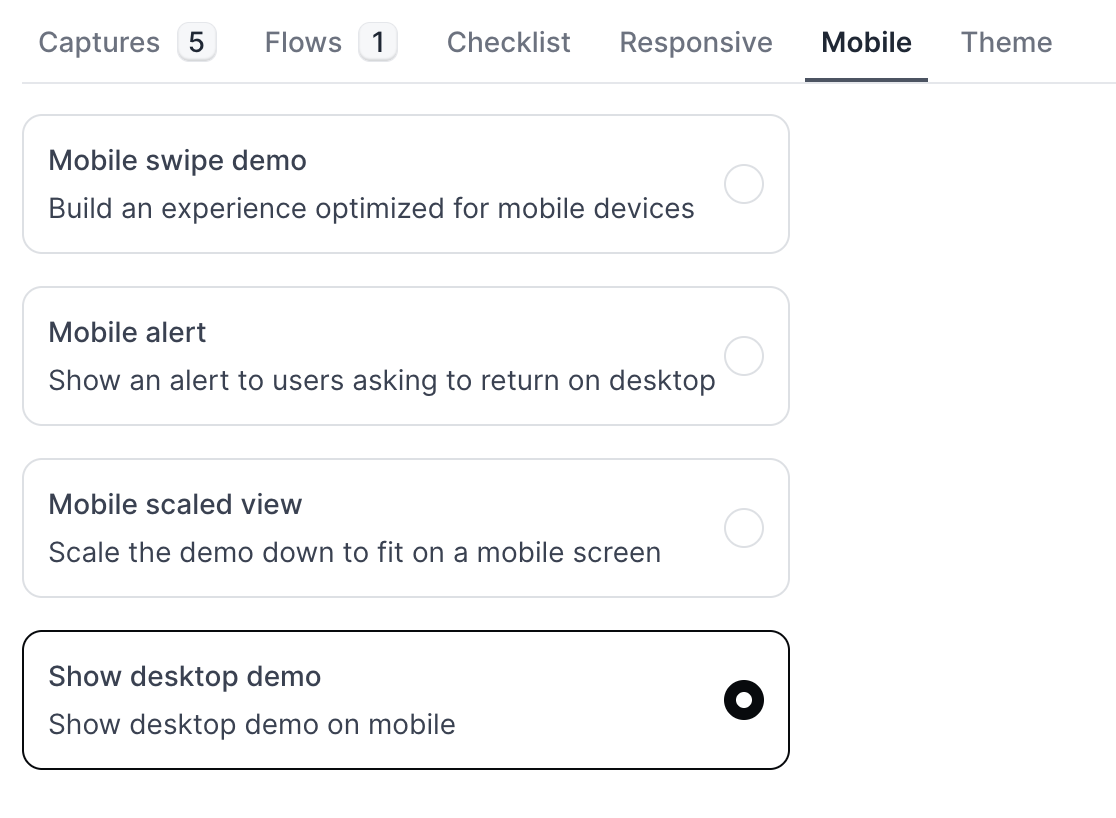
How can I set up my demo so visitors can select the desktop or mobile app based on their device?
How can I set up my demo so visitors can select the desktop or mobile app based on their device?
-
Build out two Flows in the same demo:
- Desktop App Demo: Follow these instructions to build a Flow of your desktop demo.
- Mobile App Demo: Check out the FAQ above to learn how to build a demo of a Mobile App for viewing on Mobile Devices.
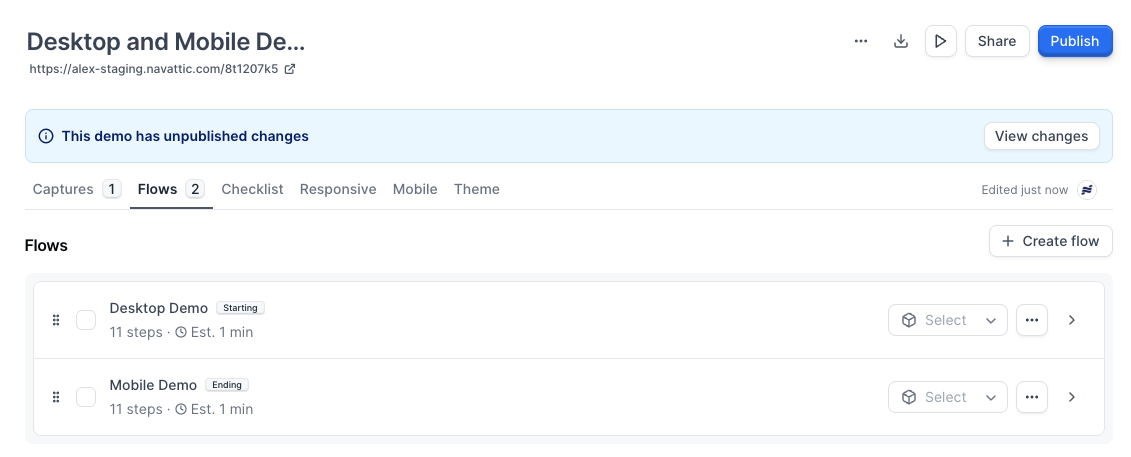
- Add a checklist to your demo: After building out the desktop Flow and mobile Flow in the same demo, add a checklist to your demo that will serve as the device selector.
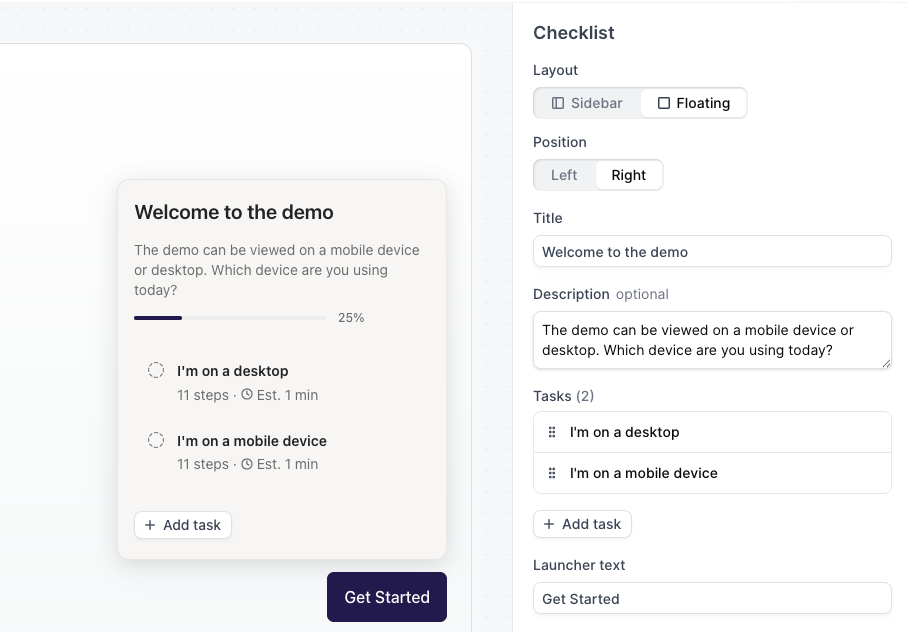
- Set the checklist to “Floating”: This ensures that it takes up a small portion of the screen.
-
Add the two checklist tasks and update the descriptions to something like:
- “I’m on a desktop”: Directs users to the desktop version of your demo.
- “I’m on a mobile device”: Sends mobile users to your mobile-optimized demo.
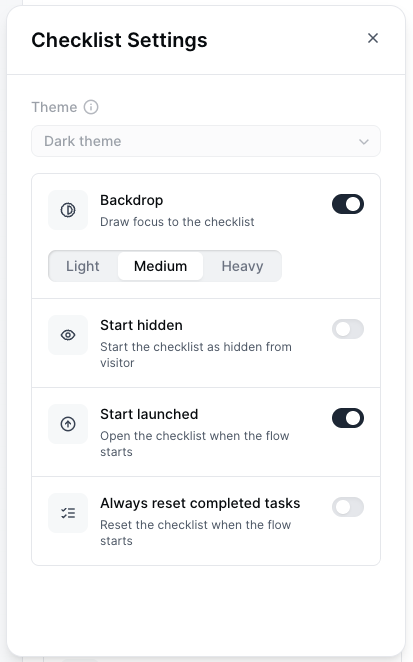
- Turn on “Start launched”: Within the Checklist Settings, toggle on Start launched, which ensures the checklist automatically opens when the demo loads, prompting the visitor to choose their experience right away.
-
(Optional but recommended) Enable “Backdrop” in the Checklist Settings:
This subtly dims the rest of the screen so the device selector stands out, reducing the chance a visitor misses it.
- Preview and publish: Test both paths to confirm the desktop and mobile flows open as expected. Once everything looks good, publish your demo.
How do I embed my demo in my Zendesk help center?
How do I embed my demo in my Zendesk help center?
data-navattic-title attribute within the button element. By default, this attribute is set to the demo’s title, but you can change it to any title you prefer.Alternatively, you can edit the name of your demo, publish the changes, and then re-embed the demo using the updated embed code.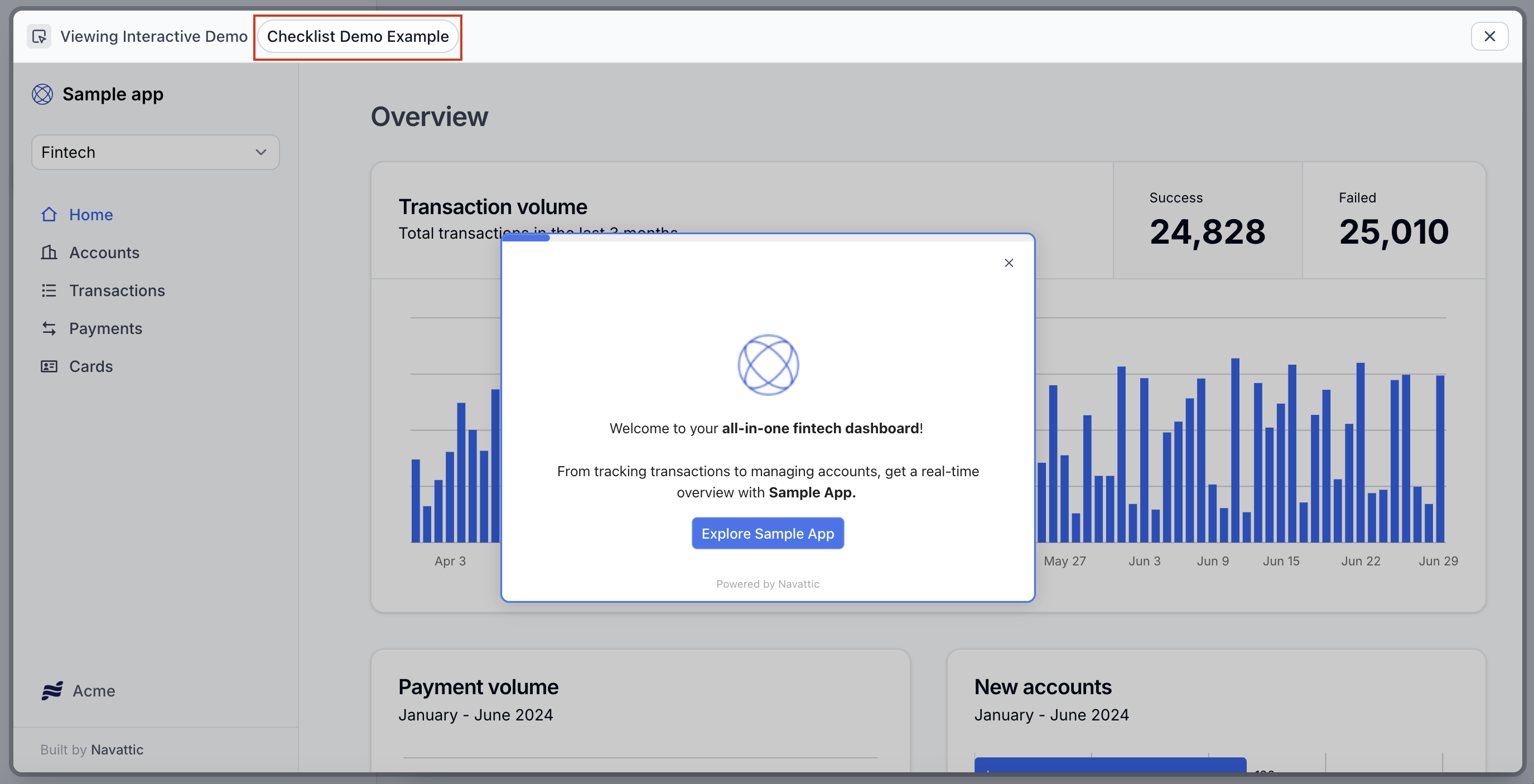
Can the embedded demo automatically show the visitor's preferred language based on location or browser settings?
Can the embedded demo automatically show the visitor's preferred language based on location or browser settings?
How do I link to a specific flow within a multi-flow demo?
How do I link to a specific flow within a multi-flow demo?
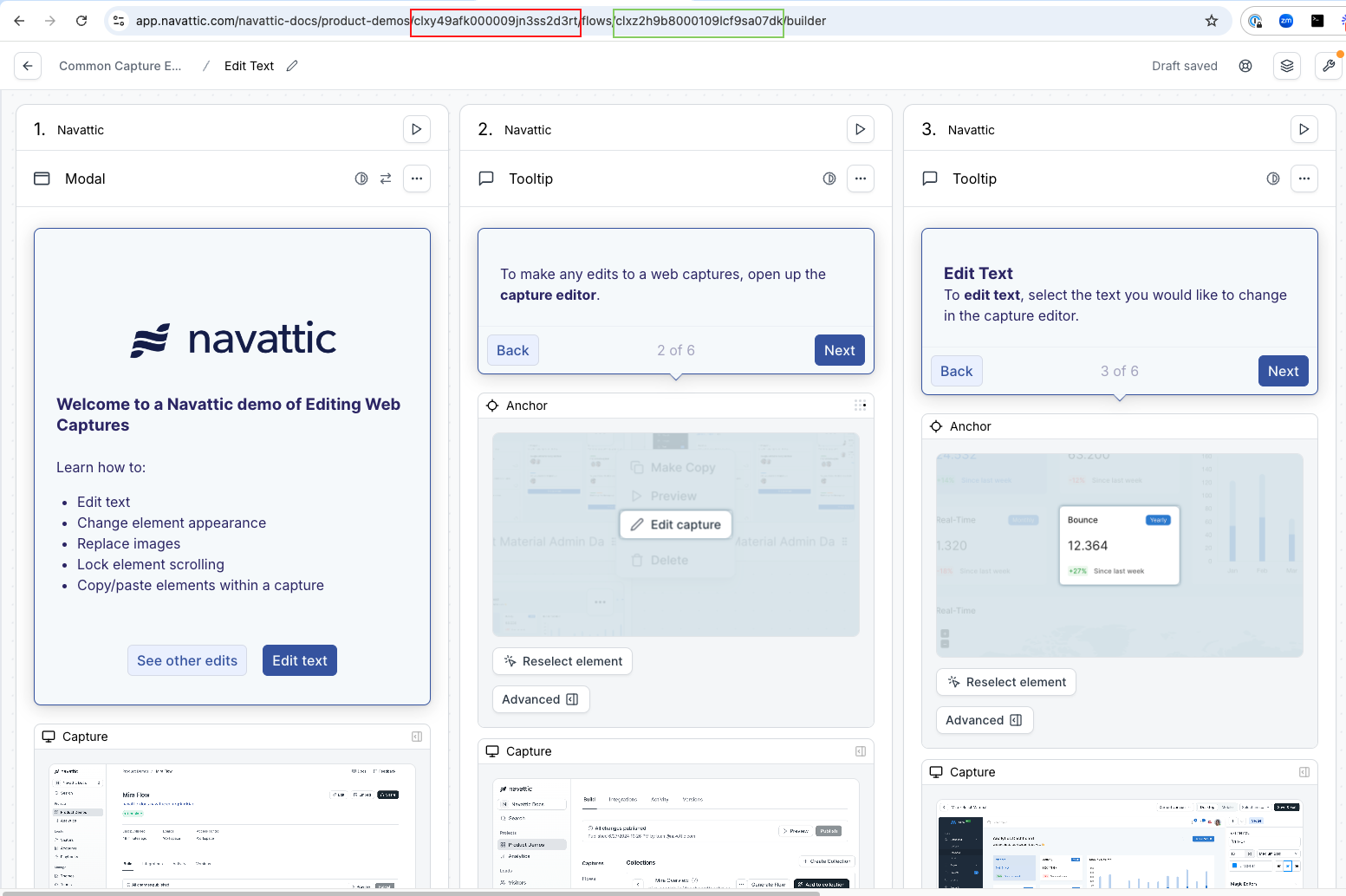
Can I add a full screen option to my embedded demo?
Can I add a full screen option to my embedded demo?
Tracking
How do I pass UTMs from a landing page URL into an embedded demo?
How do I pass UTMs from a landing page URL into an embedded demo?
- Use this resource by WickedReports to pass UTMs into the demo iframe.
- Locate your iframe source (“iframe src”) in your demo embed code. It will look like this. Add your UTM_source to the end of this iframe src, as highlighted below.

- You will now see Visitor UTMs appear in your CSV export and your Visitors tab > expand a Visitor > “Tracking” section.
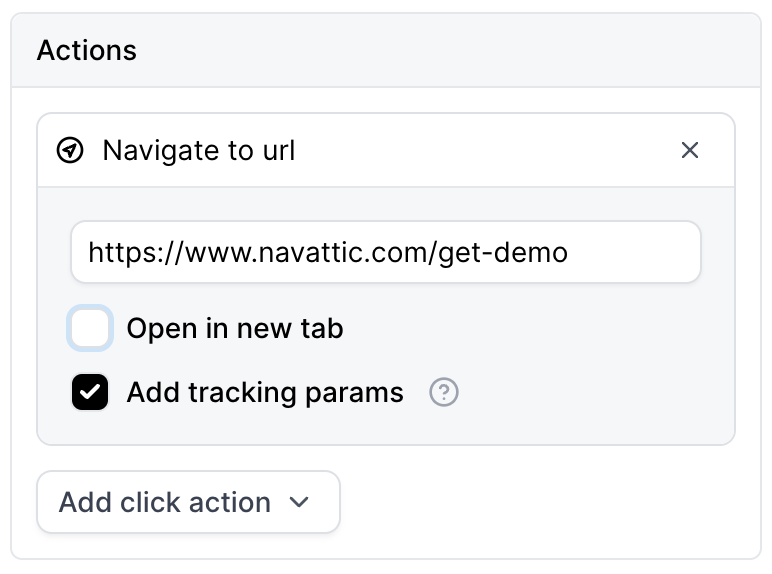
- Check the box for Add tracking params.
- Add tracking params in a similar format as you have on other pages. For example,
?utm_source={{utm_source}}&utm_medium={{utm_medium}}would insert the present value for utm_source into this field.
Visitor Analytics
How do I see the total number of Visitors for a Demo?
How do I see the total number of Visitors for a Demo?
How do I separate Product Demo Analytics for different embeds or links?
How do I separate Product Demo Analytics for different embeds or links?
Do demos with or without Forms see more user engagement?
Do demos with or without Forms see more user engagement?
Why are there a lot of Step 1 views?
Why are there a lot of Step 1 views?
Why are there more Views for later steps?
Why are there more Views for later steps?
How do I add UTMs to an embedded demo?
How do I add UTMs to an embedded demo?
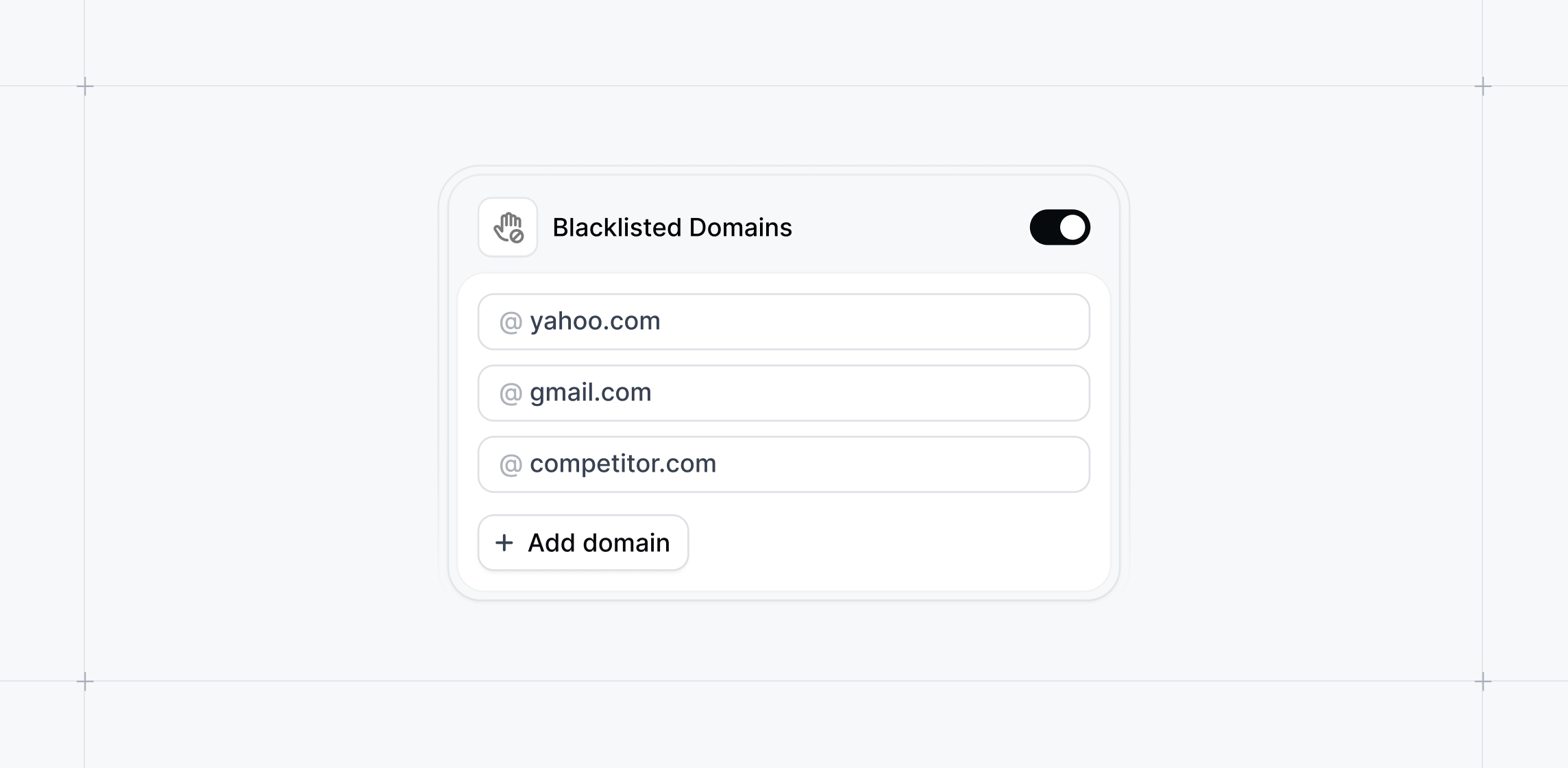
How can I block unwanted email domains from accessing my demos?
How can I block unwanted email domains from accessing my demos?
Themes
How can I autogenerate a Theme using my company colors?
How can I autogenerate a Theme using my company colors?
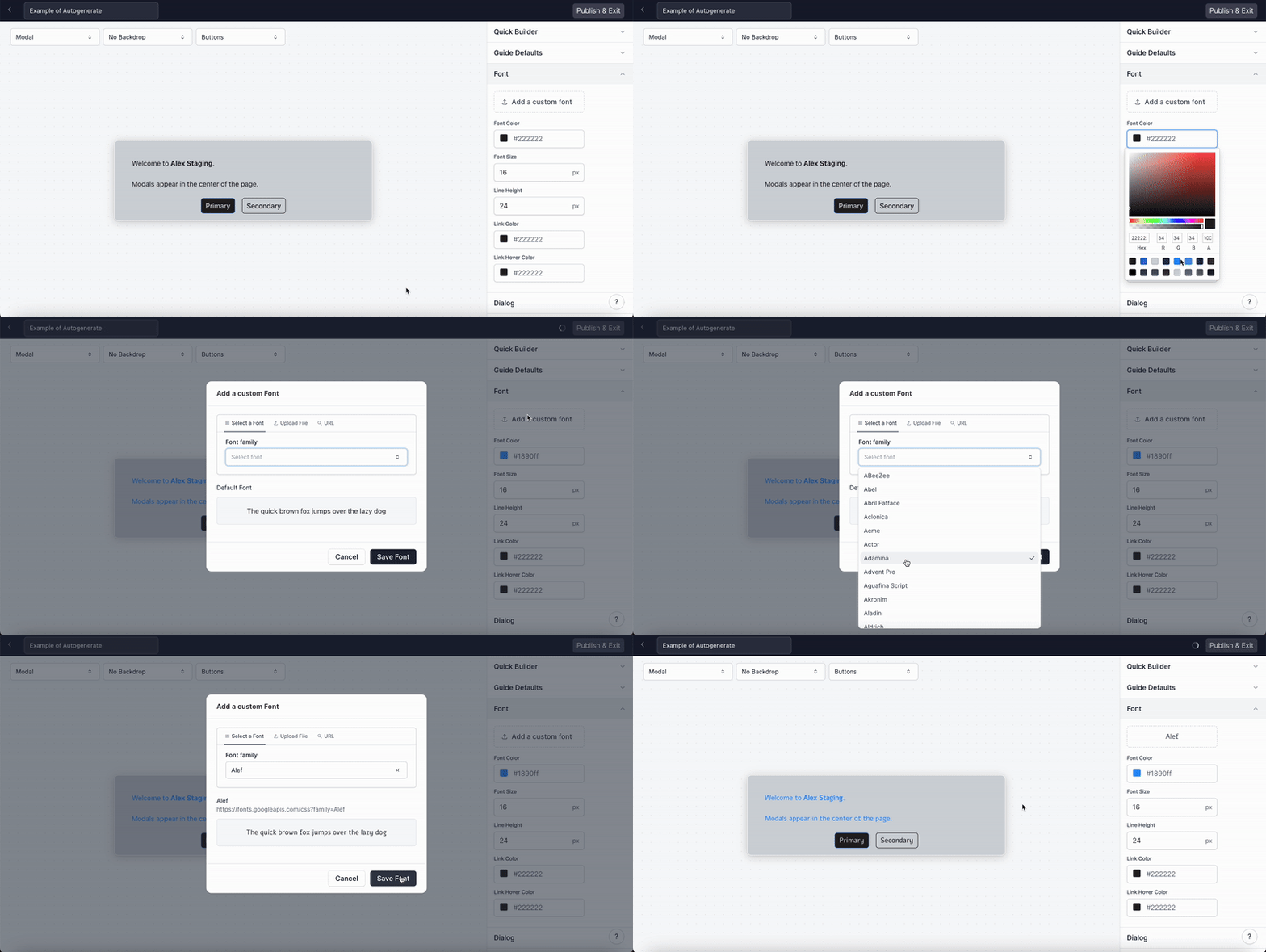
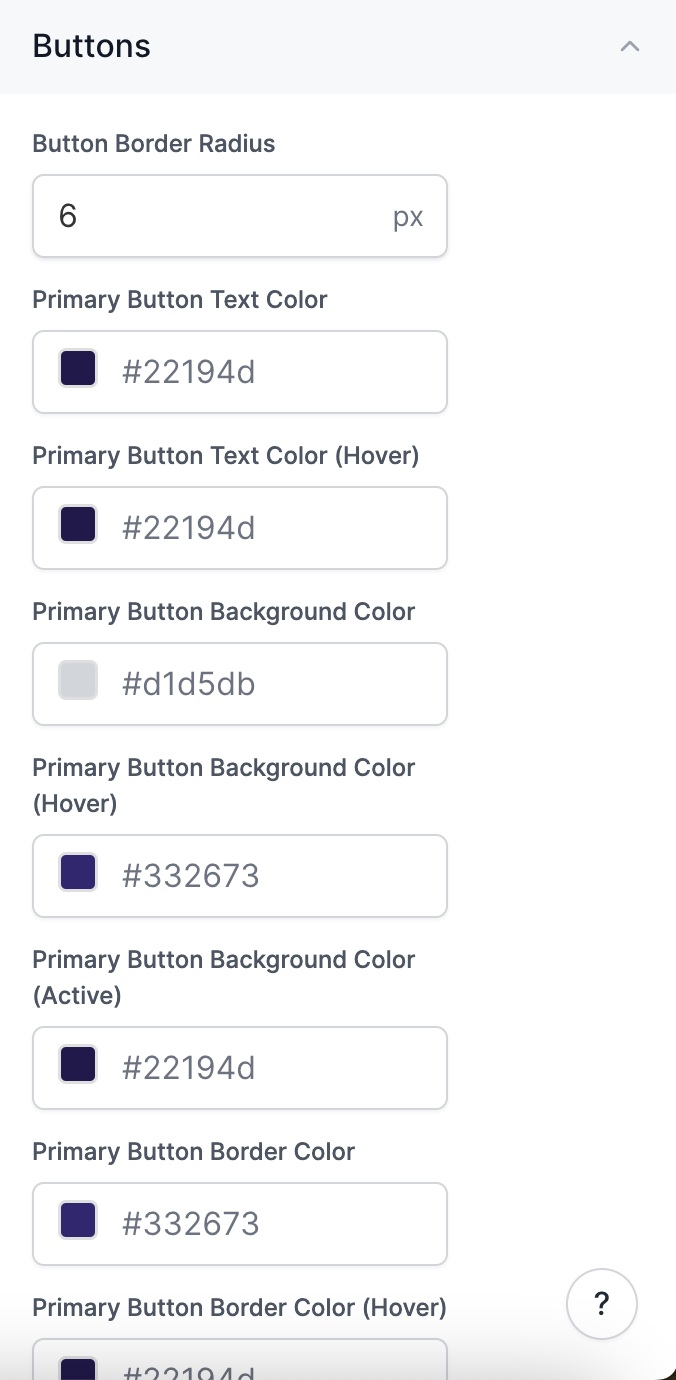
How can I change the font?
How can I change the font?
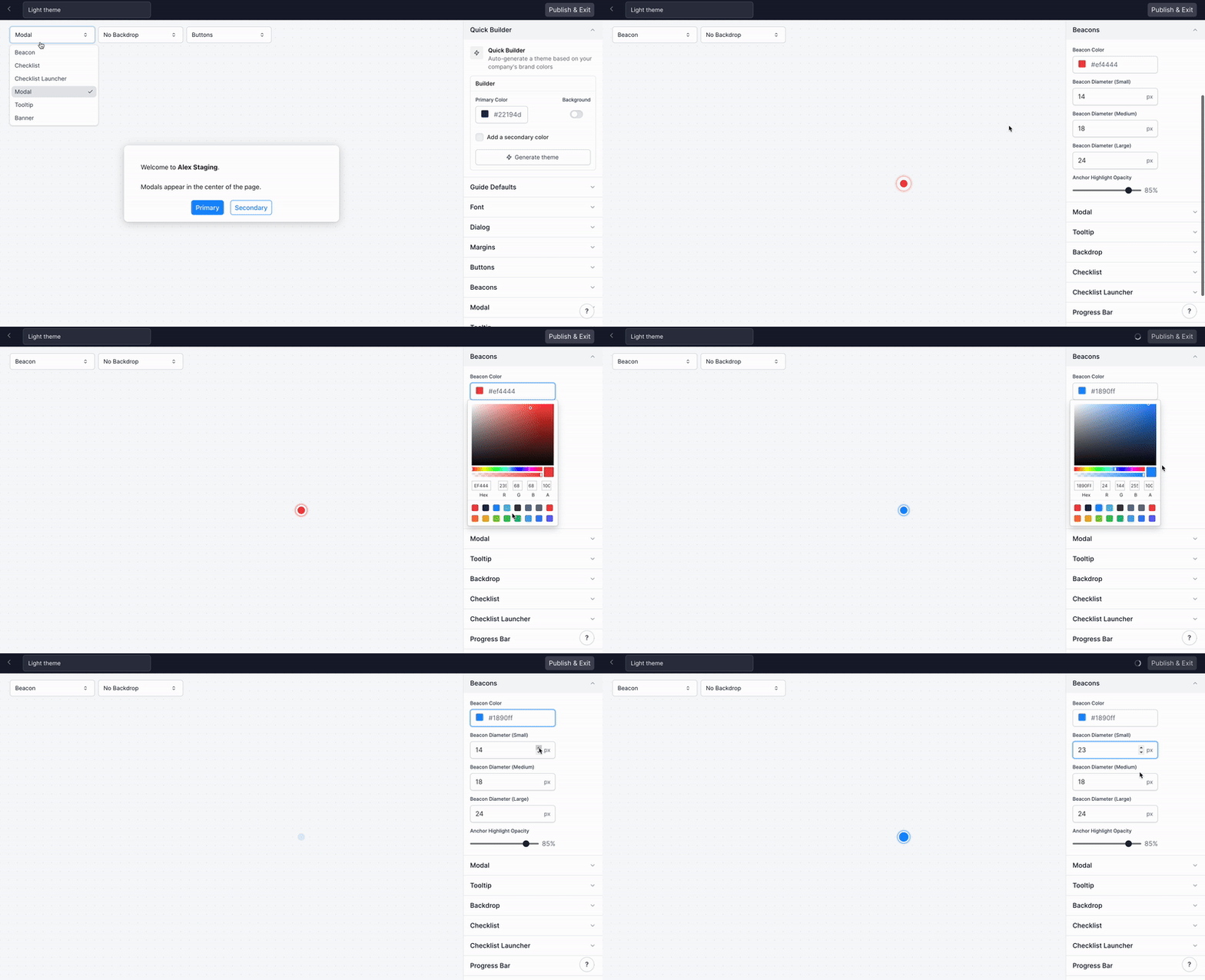
How do I edit the Beacon color and size?
How do I edit the Beacon color and size?
How can I customize the width of my Tooltips?
How can I customize the width of my Tooltips?
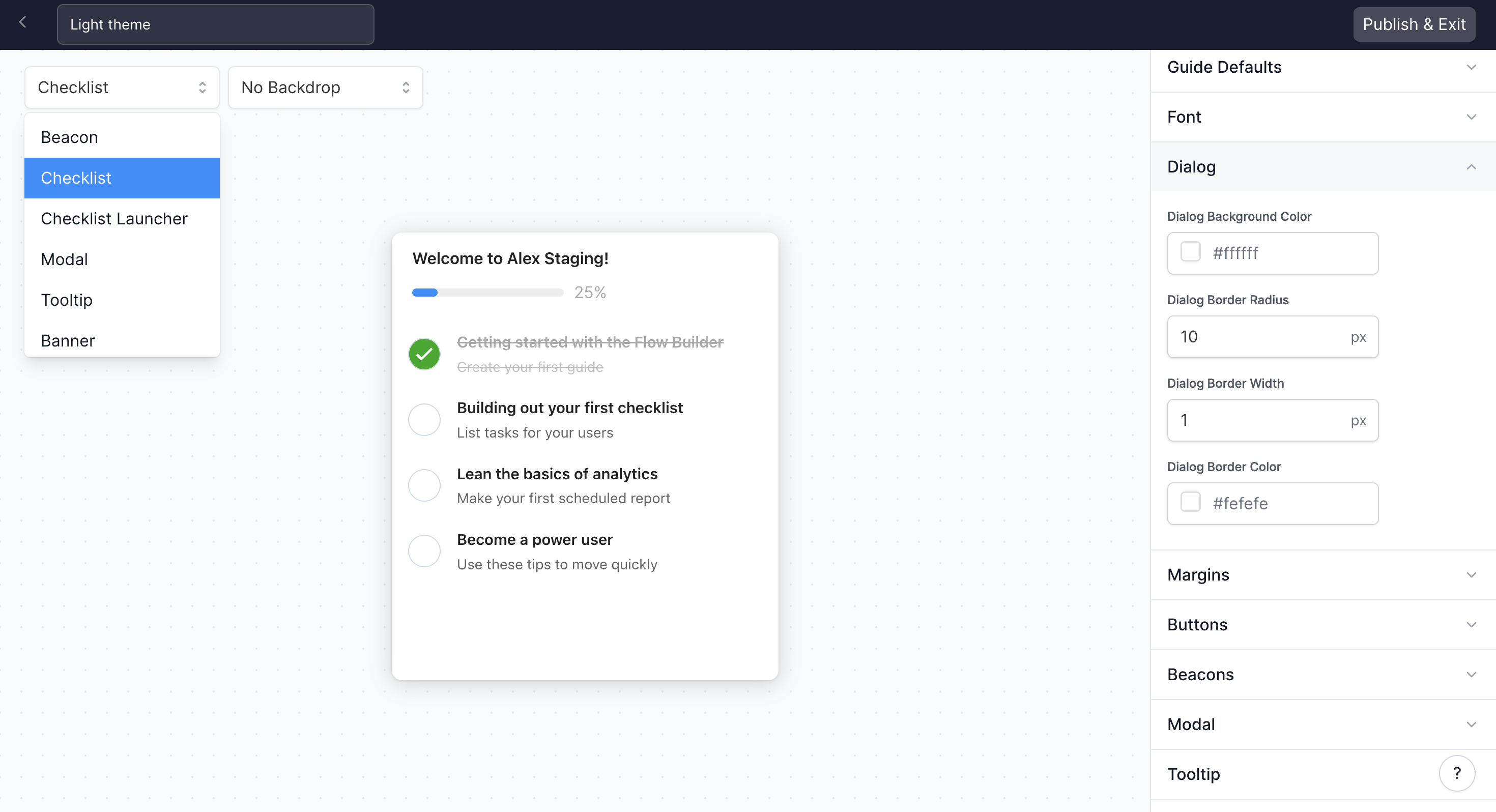
How do I edit the Checklist background color, border, and font?
How do I edit the Checklist background color, border, and font?
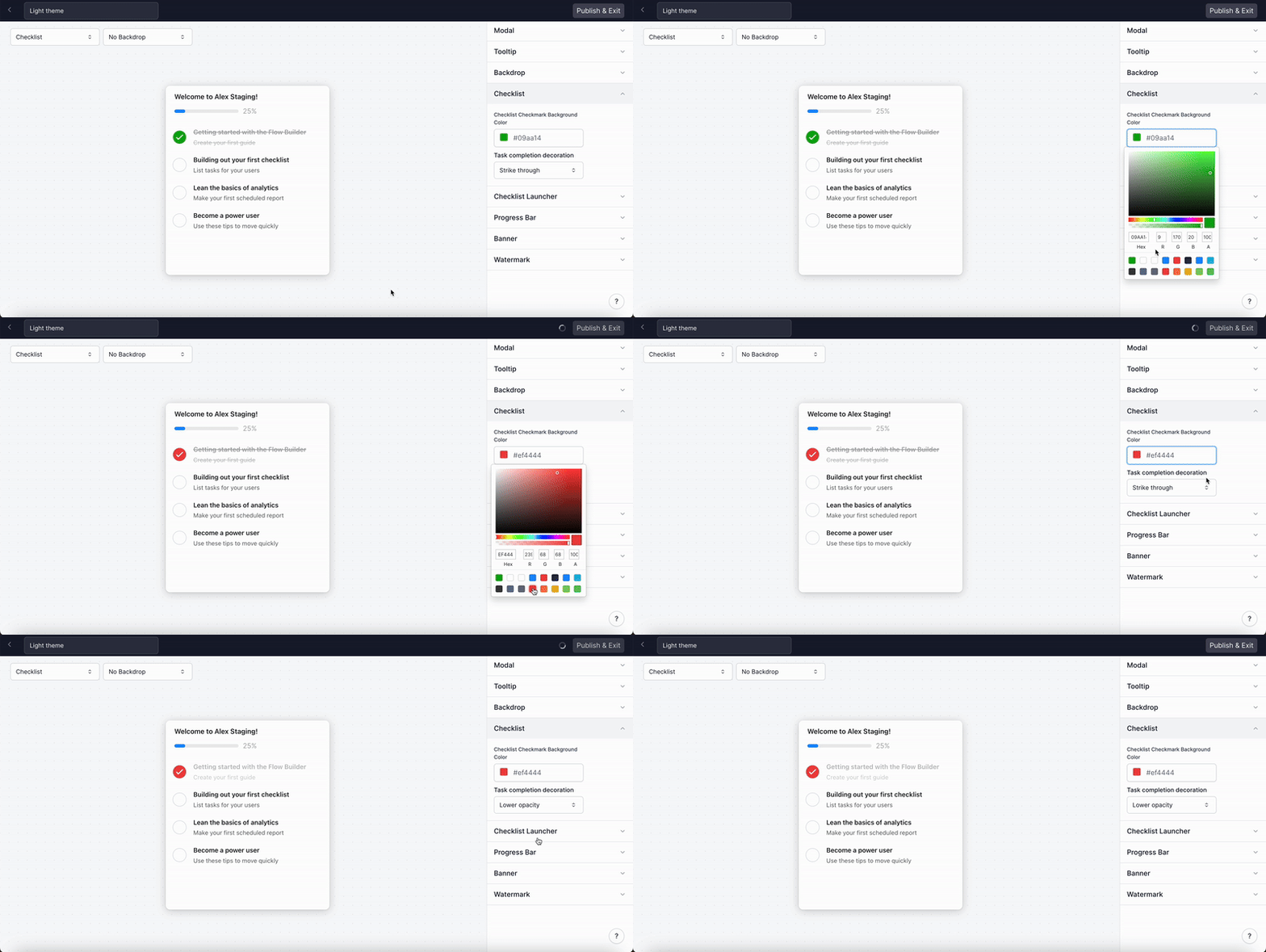
How do I edit the Checklist checkmark color and task completion decoration?
How do I edit the Checklist checkmark color and task completion decoration?
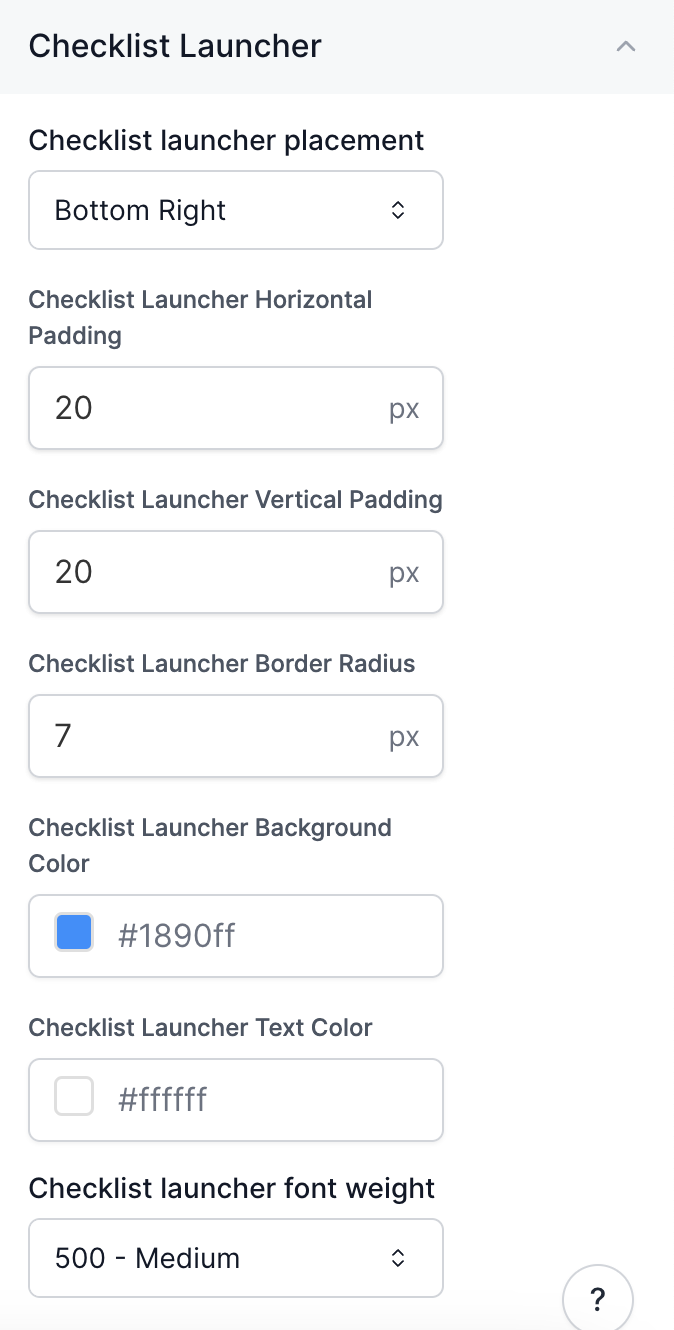
How do I edit the Checklist Launcher?
How do I edit the Checklist Launcher?
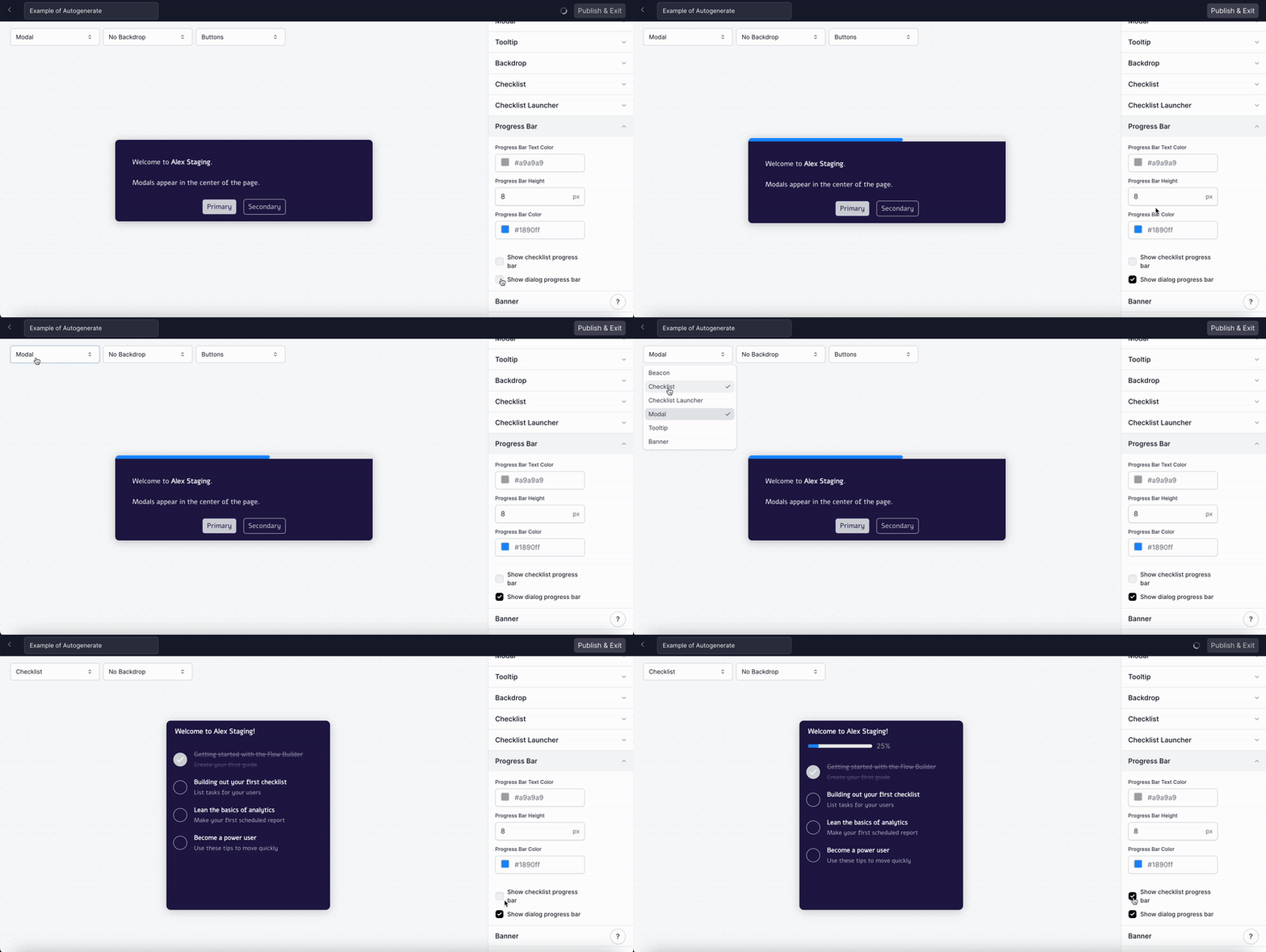
How do I edit the Progress Bar?
How do I edit the Progress Bar?
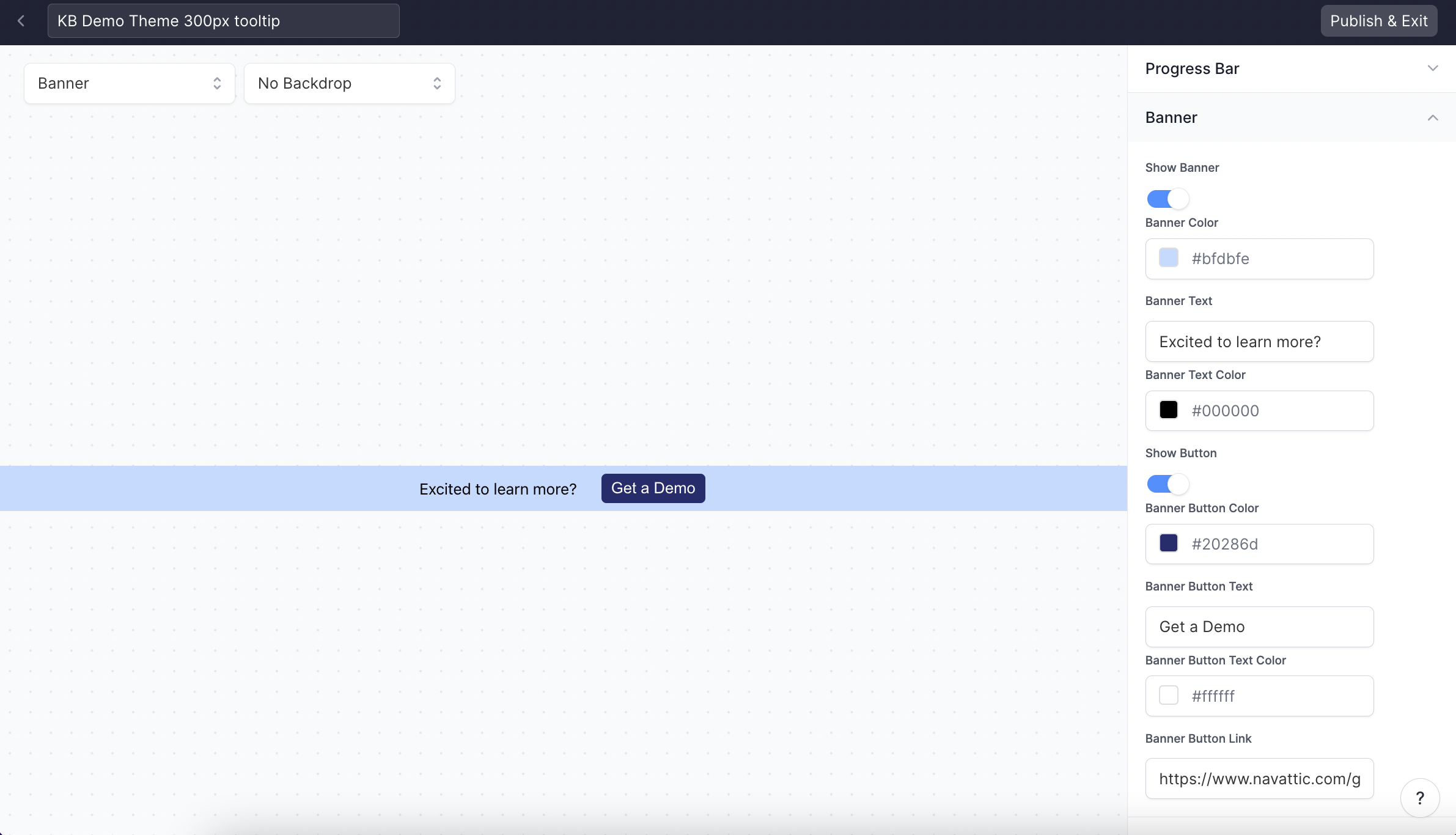
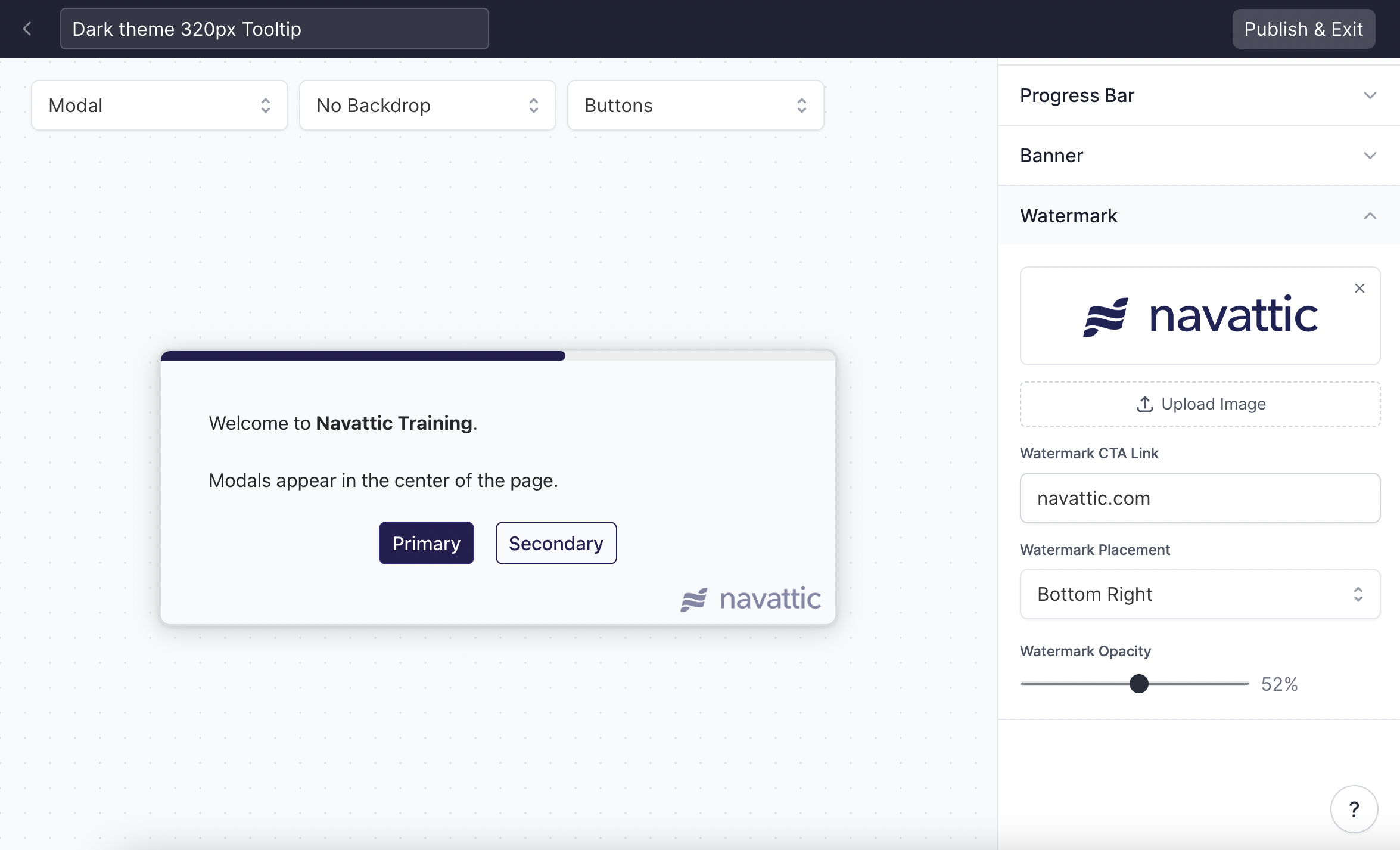
How can I add a custom watermark to Tooltips and Modals?
How can I add a custom watermark to Tooltips and Modals?
How can I change the Tooltip Border Color when paired with a Backdrop?
How can I change the Tooltip Border Color when paired with a Backdrop?
Versions
What are Versions?
What are Versions?
What can I do with a previous version?
What can I do with a previous version?
- Restore: Revert your current draft to a previous version.
- Preview: View a specific version to see how it looked and functioned.
- Edit Details: Update the title and description of a version to keep your history organized.
How do I restore a previous version of my demo?
How do I restore a previous version of my demo?
- From the demo header, open the menu and select Versions.
- A timeline of all your demo’s versions will appear.
- Find the version you want to restore and select the Restore option.
What happens when I restore a version?
What happens when I restore a version?
Does restoring a version automatically publish it?
Does restoring a version automatically publish it?
Sandbox demos
Will my sandbox demo appear in Launchpad after I publish it?
Will my sandbox demo appear in Launchpad after I publish it?
Can I add tooltips or modals to sandbox steps?
Can I add tooltips or modals to sandbox steps?
Why aren't sandbox links automatically created when I add new screens?
Why aren't sandbox links automatically created when I add new screens?
How do I remove a link from a sandbox step?
How do I remove a link from a sandbox step?
Launchpad demos
What is the difference between an Interest Template and a Custom Demo?
What is the difference between an Interest Template and a Custom Demo?
Are Interest Level demos only available through Launchpad?
Are Interest Level demos only available through Launchpad?
Do changes to a flow automatically update an interest template created from it?
Do changes to a flow automatically update an interest template created from it?
Launchpad tracking
What happens if a prospect forwards a 1:1 link to someone else?
What happens if a prospect forwards a 1:1 link to someone else?
How do Launchpad demo sessions track to Salesforce opportunities?
How do Launchpad demo sessions track to Salesforce opportunities?
AI Copilot, voiceover, and avatar
What types of edits can Copilot Prompt apply?
What types of edits can Copilot Prompt apply?
- Rewriting tooltip or modal text to match a specific tone or style
- Shortening or expanding copy
- Translating content to another language
- Updating a product name or term across steps
- Adding or removing a CTA button
- Changing highlight or beacon colors
- Updating step titles or descriptions
Can I specify a use case when running a Copilot Review?
Can I specify a use case when running a Copilot Review?
What are best practices for writing effective Copilot Prompt instructions?
What are best practices for writing effective Copilot Prompt instructions?
- Be specific. Instead of “improve this”, write “rewrite this tooltip to be more concise and use active voice.”
- Target specific steps. Use
@stepreferences to apply changes to particular steps rather than the whole flow. - Upload context. Add a product one-pager or style guide under Settings > Copilot so Copilot has richer context to draw from.
- Iterate with follow-ups. If the first result isn’t quite right, use a follow-up prompt to refine it.
Is there a preferred voiceover voice to use?
Is there a preferred voiceover voice to use?
Can I control how AI voiceover pronounces specific product terms?
Can I control how AI voiceover pronounces specific product terms?
- Narrated demos: Open the demo > Context tab > Pronunciations section. Add the term and its phonetic spelling to override how Copilot pronounces it.
- Standard AI voiceover: Pronunciation overrides are not available in-app. As a workaround, you can pre-process the audio in ElevenLabs Studio with pronunciation rules, then upload the result as a custom voice under Settings > Custom Voices.
Can I use the same voice for both AI voiceover and avatar narration?
Can I use the same voice for both AI voiceover and avatar narration?
Is there a way to preview voiceover voices before applying them?
Is there a way to preview voiceover voices before applying them?
How do I change the default voiceover voice?
How do I change the default voiceover voice?
Can I create an avatar using a virtual or AI character rather than a real person?
Can I create an avatar using a virtual or AI character rather than a real person?
Workspace FAQs
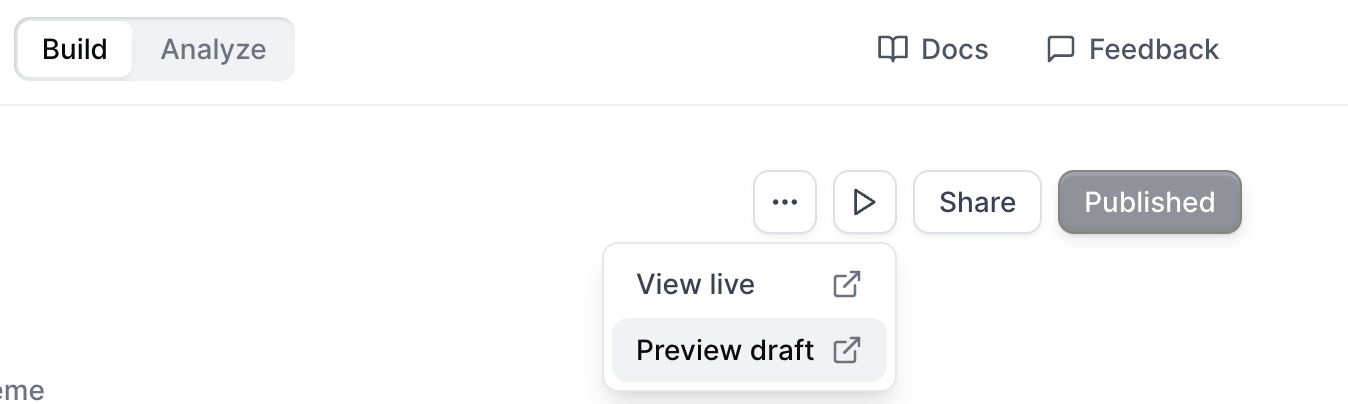
How can I preview my demo?
How can I preview my demo?
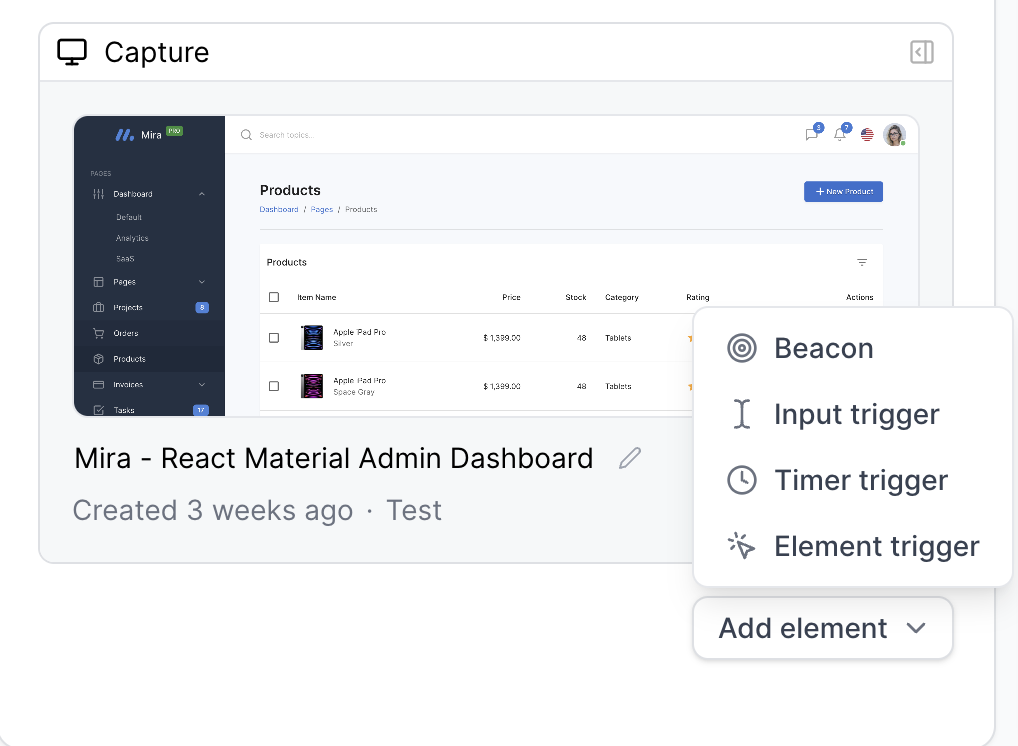
How can I add a beacon or trigger?
How can I add a beacon or trigger?
Where can I find Tracking Scripts?
Where can I find Tracking Scripts?
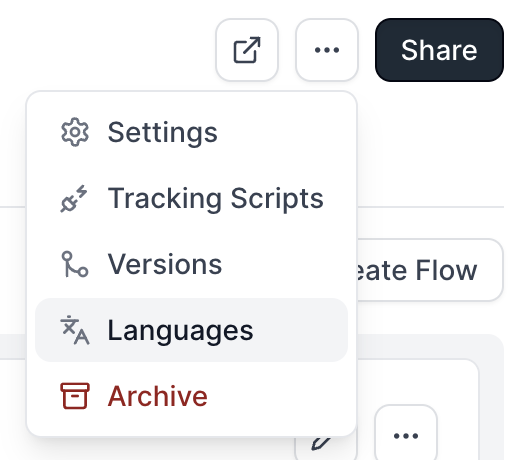
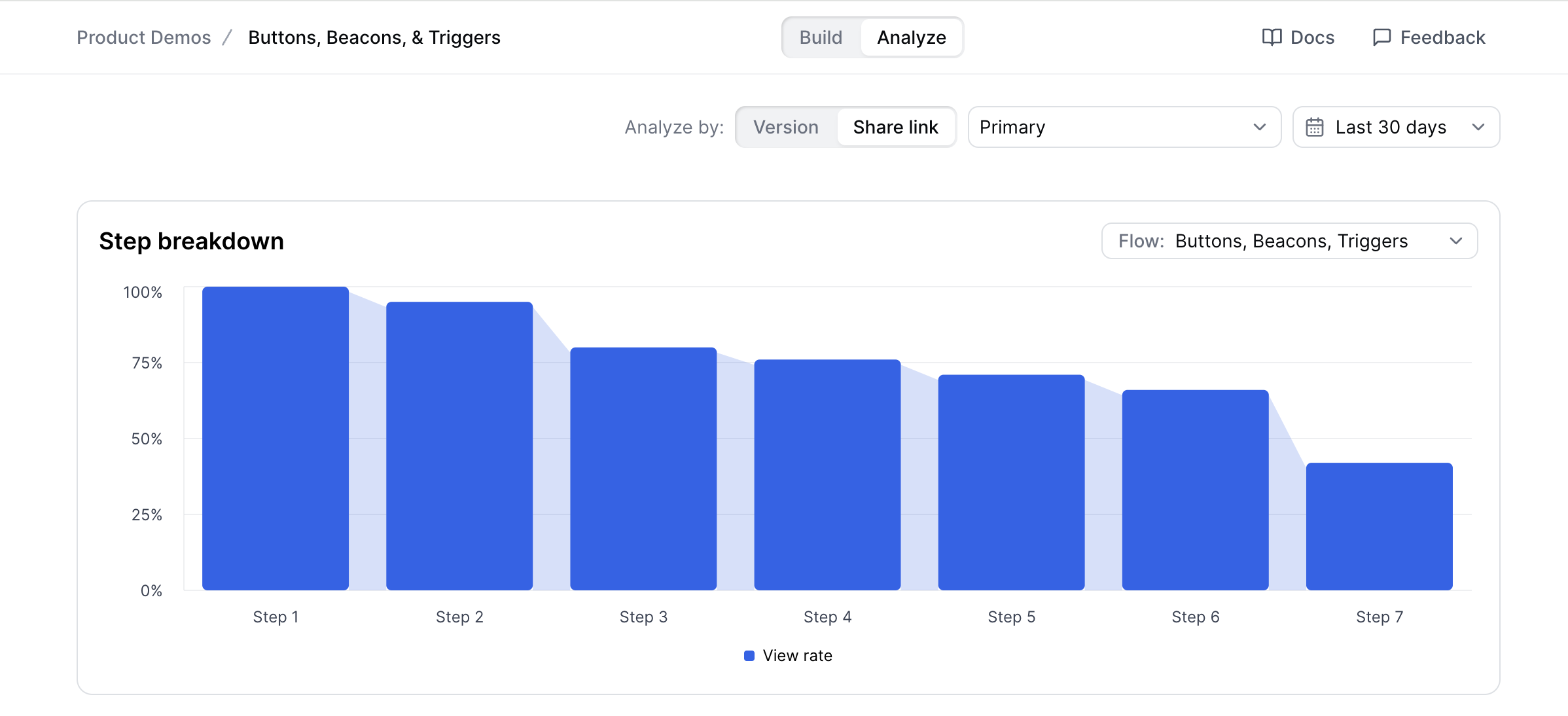
Where can I find the Flow Activity and step breakdown?
Where can I find the Flow Activity and step breakdown?
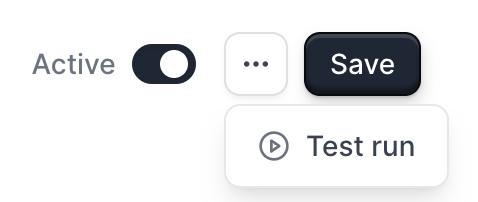
How can I send a Test run in Playbooks?
How can I send a Test run in Playbooks?
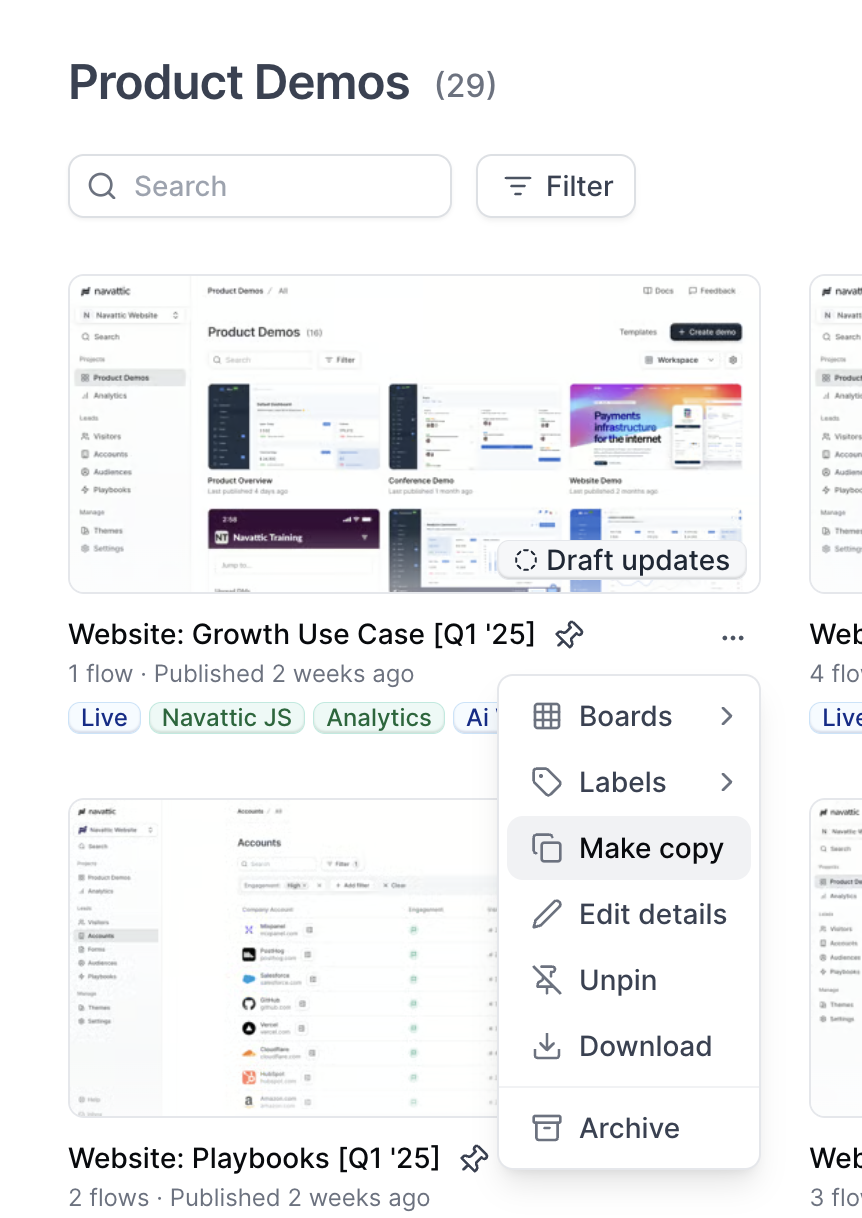
How do I copy a demo?
How do I copy a demo?
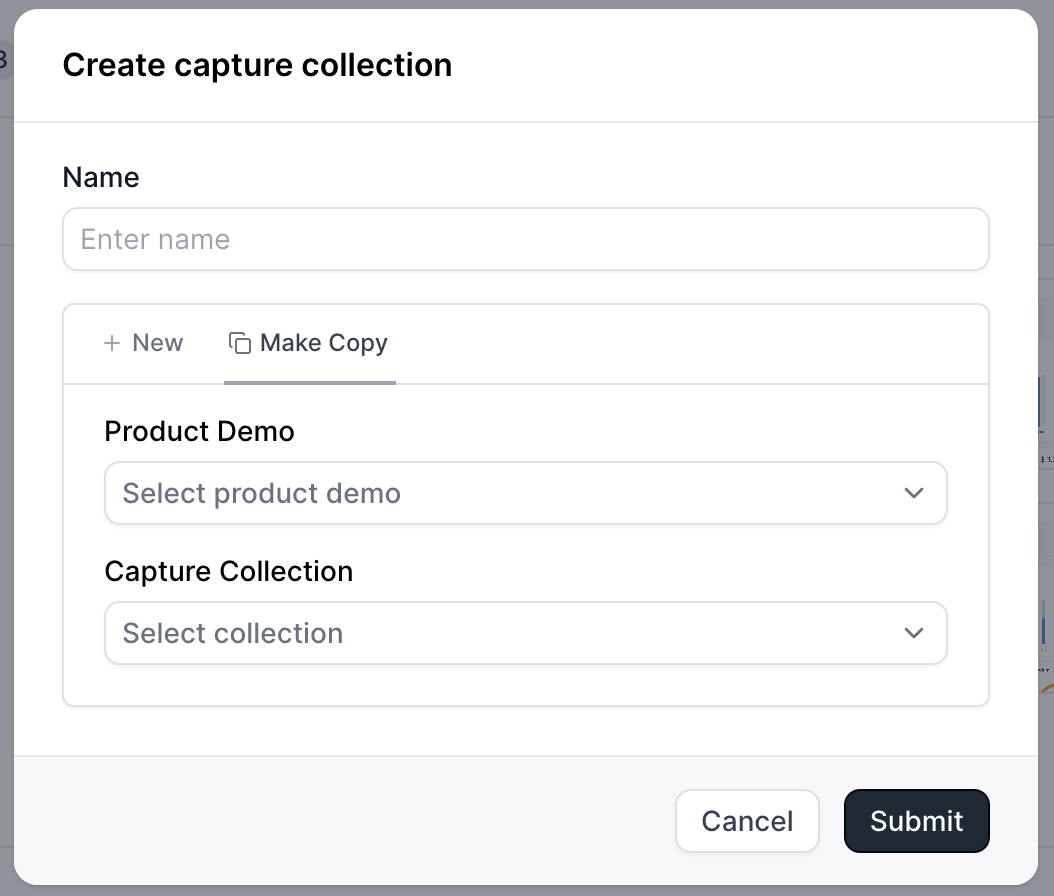
How do I copy a capture collection?
How do I copy a capture collection?
How do I archive a product demo?
How do I archive a product demo?
How do I find archived product demos?
How do I find archived product demos?
How do I permanently delete a demo?
How do I permanently delete a demo?
Can I recover a permanently deleted demo?
Can I recover a permanently deleted demo?
How do I archive a flow?
How do I archive a flow?
How do I unarchive a flow?
How do I unarchive a flow?
How can I update my Workspace Name, Slug, and Logo?
How can I update my Workspace Name, Slug, and Logo?
How can I prevent Builders in my workspace from editing a published demo?
How can I prevent Builders in my workspace from editing a published demo?
 When this setting is turned on, only the Project Owner or a Workspace Admin can publish changes to a demo that has already been published. Other builders will still be able to view the demo, but they won’t be able to publish updates to the live version.If a non-authorized builder attempts to publish changes, they’ll see a message indicating that the demo is locked and that they should contact the project owner or a workspace admin.If a non-authorized builder attempts to publish changes, they’ll see a message indicating that the demo is locked and that they should contact the project owner or a workspace admin.If a non-authorized builder attempts to publish changes, they’ll see a message indicating that the demo is locked and that they should contact the project owner or a workspace admin.