

What are custom properties?
Custom properties are configurable form fields that you define to capture additional visitor information. They can be:- Lead qualification data: Budget, timeline, team size
- Demographic information: Industry, role, department
- Product interests: Features, use cases, integrations
- Custom identifiers: Account ID, customer number, campaign code
Property types
Text
Single-line text for names, titles, or short answers
Textarea
Multi-line text for comments or detailed responses
Email address field with automatic validation
Checkbox
Boolean fields for opt-ins or confirmations
Multiselect
Multiple choice options for features or preferences
Phone
Phone number field with formatting validation
Date
Date picker for timelines or scheduling
Number
Numeric inputs for quantities, budget, or team size
Select
Dropdown with single selection from predefined options
URL
Validated URL inputs for websites or resources
Image
Upload field for logos, screenshots, or visual content
Default properties
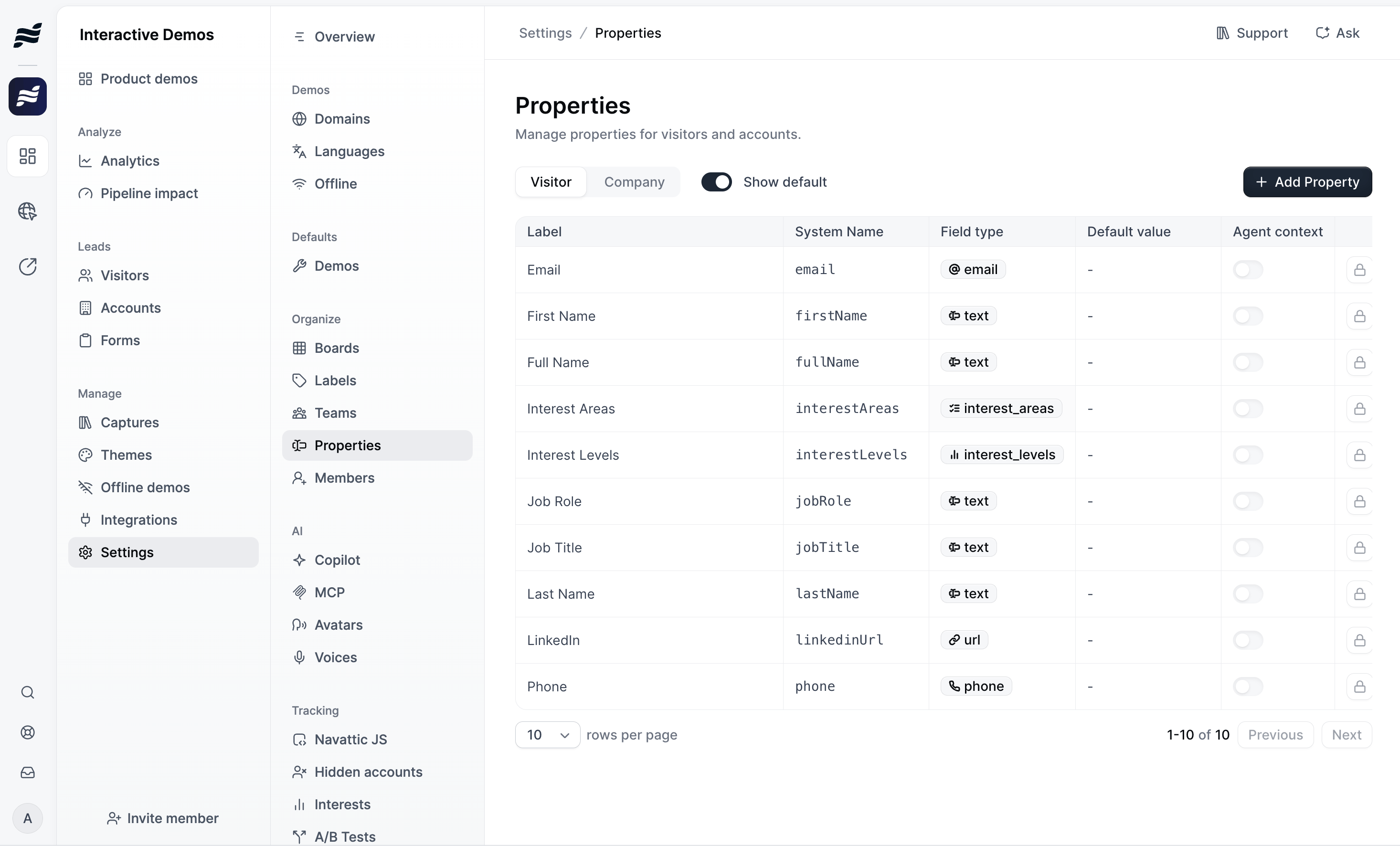
Every workspace starts with a set of default properties for visitors and companies. You can’t edit or delete default properties. Integrations and webhook payloads refer to each property by its system name. Not all default properties can be set manually. Navattic sets many of them automatically from demo activity, IP geolocation, or enrichment. The ones you can set manually appear in Settings > Properties when you turn on Show default.Visitor
Company
Where custom properties are used
Forms
Add properties as form fields to collect visitor information.
Personalization
Insert property values into text, images, colors, and styles in captures.
Identifying visitors
Set property values for the visitors and accounts that view your demos.
Field mappings
Sync property values to fields in your CRM.
Webhooks
Receive property values in webhook payloads.
Navattic Agent questions
Save a visitor’s answer to a Navattic Agent question as a property value.
Launchpad Salesforce
Store Salesforce opportunity owner details as properties.