> ## Documentation Index
> Fetch the complete documentation index at: https://docs.navattic.com/llms.txt
> Use this file to discover all available pages before exploring further.
# Form submissions
> View, analyze, and export form submission data from your demos
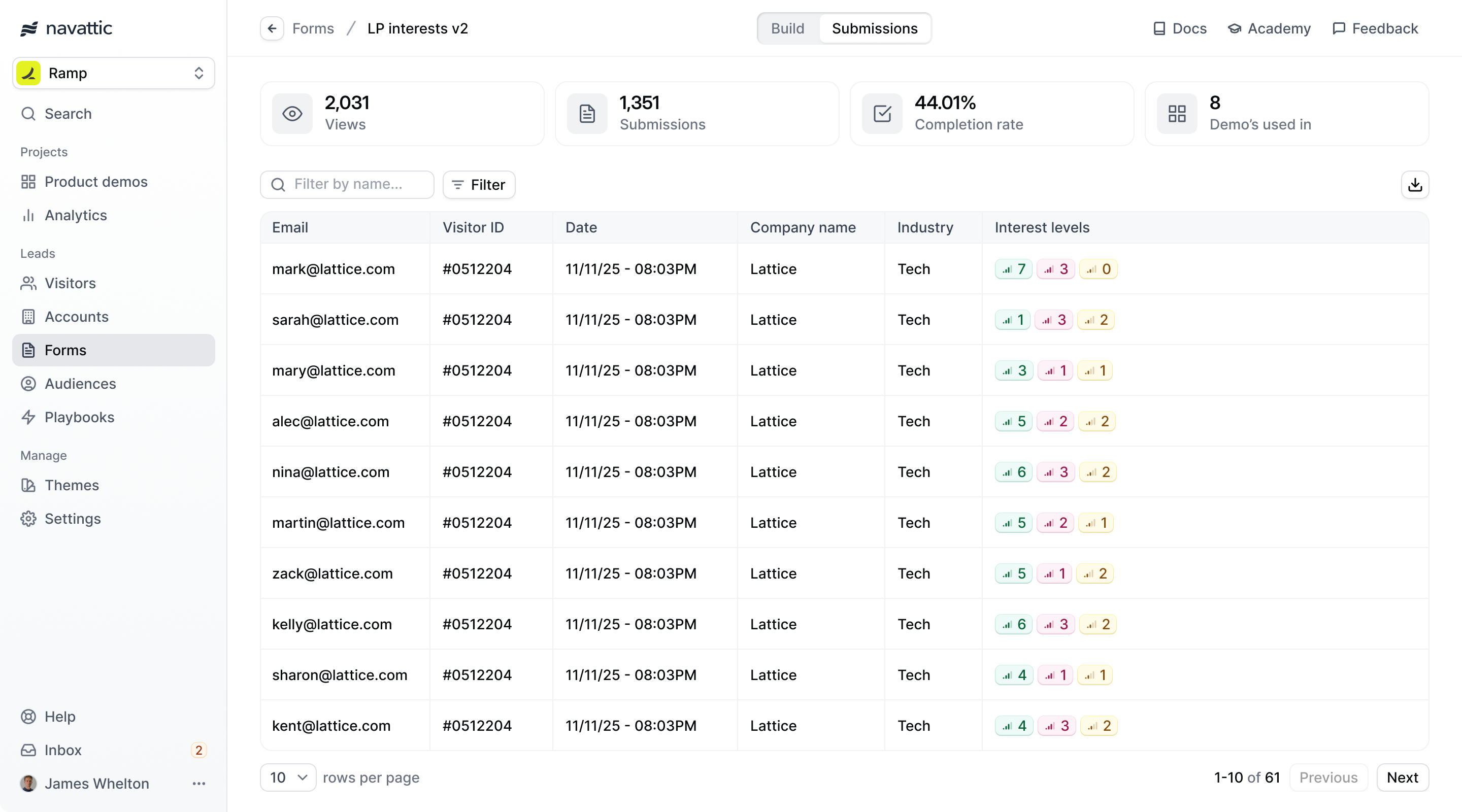 **Form submissions** provide detailed insights into visitor information
collected through your demo forms. Access submission data to understand lead quality, track
conversion rates, and optimize form performance.
## Accessing form submissions
Navigate to the **Forms** tab in your Navattic workspace to view all form submissions across your demos.
## Submission data overview
### Key metrics
The Forms dashboard displays:
* **Total views**: Number of form views
* **Total submissions**: Number of form submissions
* **Completion rate**: Number of submissions divided by the number of views
* **Demo's used in**: How many demos the form is used in
### CSV Export
Form submissions can be exported to CSVs by clicking the download button in the top right of the submissions page. This CSV will contain values of all the form submissions across the demos it is in.
**Form submissions** provide detailed insights into visitor information
collected through your demo forms. Access submission data to understand lead quality, track
conversion rates, and optimize form performance.
## Accessing form submissions
Navigate to the **Forms** tab in your Navattic workspace to view all form submissions across your demos.
## Submission data overview
### Key metrics
The Forms dashboard displays:
* **Total views**: Number of form views
* **Total submissions**: Number of form submissions
* **Completion rate**: Number of submissions divided by the number of views
* **Demo's used in**: How many demos the form is used in
### CSV Export
Form submissions can be exported to CSVs by clicking the download button in the top right of the submissions page. This CSV will contain values of all the form submissions across the demos it is in.