> ## Documentation Index
> Fetch the complete documentation index at: https://docs.navattic.com/llms.txt
> Use this file to discover all available pages before exploring further.
# Pre-call discovery
> Learn about what the prospect is interested in before the first call.
export const Email = ({title = 'Email', children}) => {
return ;
};
Getting a prospect to attend a live meeting is already a win—don’t waste that time on basic overviews. Instead, use a **pre-call discovery demo** to educate the prospect and uncover additional stakeholders ahead of time. This allows your first call to focus on deeper discovery, addressing questions, and advancing the deal—instead of starting from square one.
Sharing a demo before a scheduled meeting allows prospects to educate and qualify themselves in advance. When positioned effectively, the demo can also be shared internally, helping bring additional stakeholders into the conversation. Sales reps can use this insight to tailor their approach and prepare for the call.
## What to send prospects
Craft an email to the prospect that includes instructions on how to view the demo and sets expectations for how long it will take. Ensure that it will provide helpful context and set the stage for a more productive conversation.
Also encourage them to forward the demo to others on their team who might be involved in the buying decision.
**Subject**: Your personalized demo ahead of our call
**Hi \{First Name}**,
Here’s the interactive demo I mentioned. Please take a few minutes to explore it before our call on Monday—it should only take about 10 minutes to complete. You’ll also be able to customize the demo based on what you’re interested in seeing.
You can also share the demo with colleagues by clicking the Invite button in the lower-left corner of the demo.
Let me know if any questions come up ahead of the call!
**Mark Anthill**
Account Executive | Navattic
Just wanted to send a quick reminder to check out the demo I shared before our call on \{Date}. It's a helpful to see this in **advance of our call** to help focus our conversation.
Feel free to invite other colleagues to the demo and join our upcoming call.
## What to do when the prospect views the demo
When the prospect views the demo, you'll receive an **Email alert** with a summary of their session and a summary of what they are interested in. Take a minute to review this information before the call so that you know in advance what to prepare.
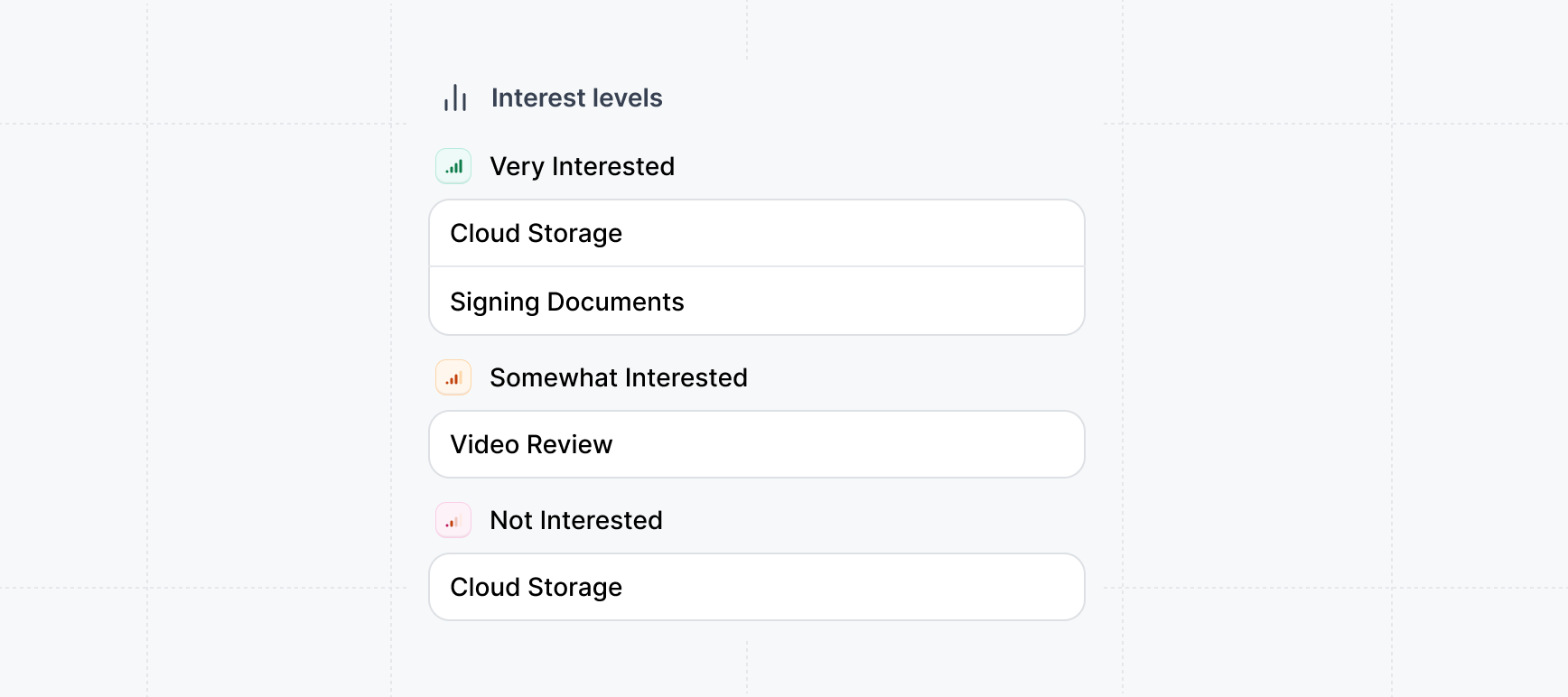 ## Interest demos
{" "}
**Interest demos** are extremely useful for **pre-call
discovery**: because they can be used to collect what the prospect is interested in and what their
priorities are.
Learn how to create Interest Demos:
Unlock a powerful insight - what features prospects are interested in.
### Explore example emails for pre-call exploration
Try some of our example email templates we created to get started. We recommend tailoring them to your product, industry, and team needs.
## Interest demos
{" "}
**Interest demos** are extremely useful for **pre-call
discovery**: because they can be used to collect what the prospect is interested in and what their
priorities are.
Learn how to create Interest Demos:
Unlock a powerful insight - what features prospects are interested in.
### Explore example emails for pre-call exploration
Try some of our example email templates we created to get started. We recommend tailoring them to your product, industry, and team needs.
**Subject**: Here's a demo ahead of our call
**Hi \{First Name}**,
Thanks for scheduling time on my calendar. I'll be looking forward to our demo call on \{Date}.
In preparation for the call, here's an interactive demo that you can try for yourself when you have a moment. Please take a few minutes to explore the demo **before the call**.
**Subject**: Quick demo before our call
**Hi \{First Name}**,
Ahead of our chat, I wanted to share this short interactive demo. It’s a quick way to get familiar with \{Product} before we dive in.
Takes less than 2 minutes.
**Subject**: See \{Product} in action before we talk
**Hi \{First Name}**,
Before our meeting, here’s a quick walkthrough showing how \{Product} solves \{Problem}.
Gives a head start so we can go deeper on the call.
**Subject**: Get a head start before our meeting
**Hi \{First Name}**,
Here’s an interactive demo that covers the basics of {Product} so you can explore it before our conversation.
It should help frame our discussion and speed things up.
**Subject**: Try this demo before we connect
**Hi \{First Name}**,
To make the most of our upcoming call, I thought you might want to try this short demo of \[Product].
You’ll get a feel for how it works in under 90 seconds.
**Subject**: Intro to \{Product} – quick demo
**Hi \{First Name}**,
Looking forward to our call! In the meantime, here’s a quick interactive demo that walks through the core experience.
No setup or login—just click through.