> ## Documentation Index
> Fetch the complete documentation index at: https://docs.navattic.com/llms.txt
> Use this file to discover all available pages before exploring further.
# Post-call followup
> Send relevant followup demos to prospects after the call.
export const Email = ({title = 'Email', children}) => {
return ;
};
Interactive demos can be a great way to send the prospect a relevant **post-call followup**. Keep the momentum going by sharing a tailored demo as a follow-up. A post-call demo reinforces key takeaways, gives the prospect something tangible to share internally, and helps continue the conversation asynchronously.
Sharing a demo after the meeting allows prospects to revisit the product on their own time and loop in additional stakeholders who may have missed the call. When framed correctly, it can accelerate internal alignment and keep your deal moving forward.
## What to send prospects
Send a follow-up email that includes a link to the personalized demo, sets expectations around time commitment (e.g., “This will only take 10–15 minutes to explore”), and reinforces the main points discussed on the call.
Encourage the prospect to share the demo with others involved in the buying process. This helps extend your reach and ensures your message stays consistent as it moves through their organization.
**Subject**: Follow-Up Demo – Tailored to Our Conversation
**Hi \{First Name}**,
Great speaking with you earlier! I put together a quick interactive demo that highlights the areas we discussed and how \{Product} can support your team. It takes about **10–15 minutes to explore** and is personalized to your use case.
You can go through it at your own pace and even customize the experience based on what’s most relevant. Feel free to share it with others on your team who might be involved in the evaluation process.
Let me know if any questions come up or if you'd like to dive deeper into anything we didn’t cover during the call.
**Mark Antihill**
Account Executive | Navattic
I saw that you've had a chance to look at the demo and that you are interested in \{Interest}. Here is \{X} that might be also relevant to you.
I’d love to hear your thoughts now that you've had a chance to explore —or feel free to invite other colleagues to the demo.
#### If the prospect hasn’t viewed the demo
Send a gentle reminder encouraging them to check it out—framing it as a helpful recap and resource for sharing with their team.
Just wanted to send a quick reminder to check out the demo I shared after our call. It’s a
helpful summary of what we covered—and a great resource to pass along to others on your team.
Let me know if you have any questions when you get the chance to check it out!
## What to do when a prospect views the demo
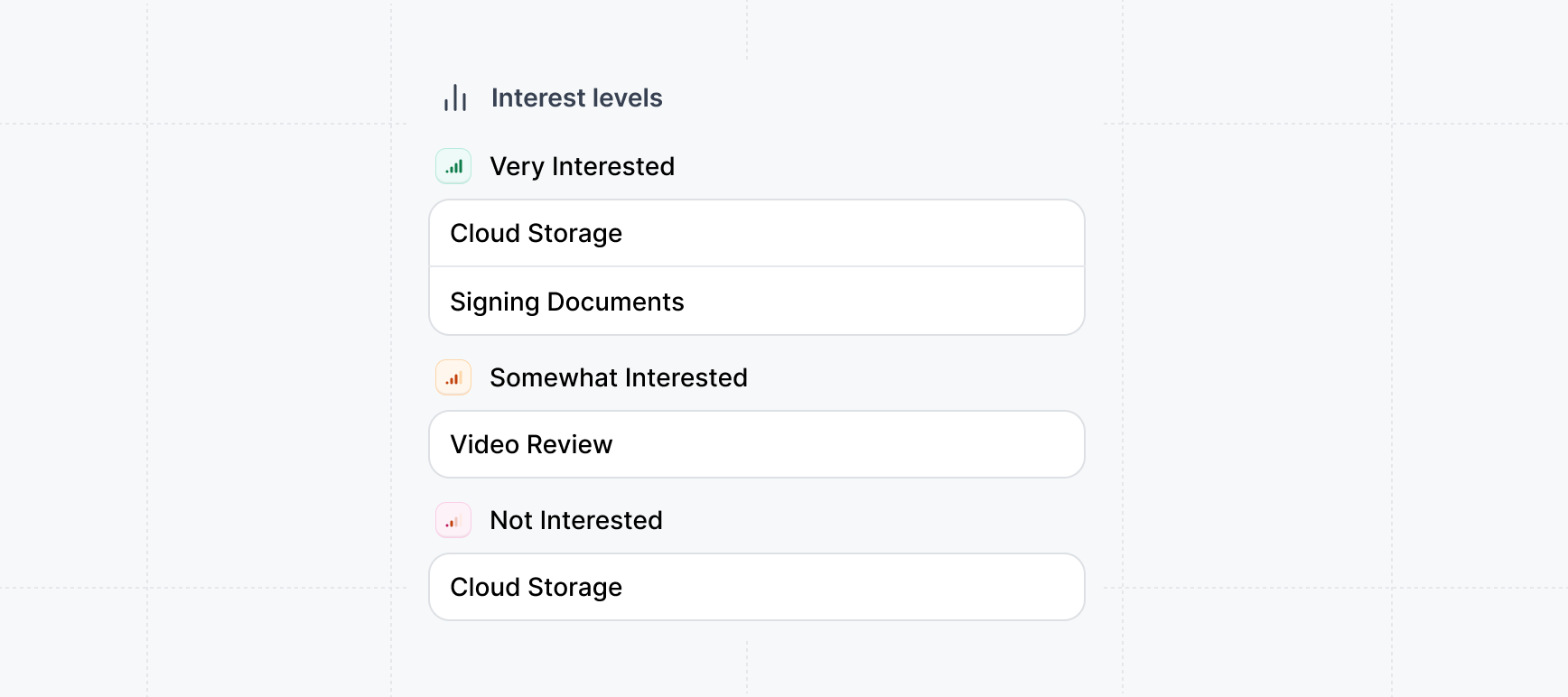
When a prospect engages with a post-call demo, you'll receive an Email alert shortly after their session ends. This alert includes insights into which parts of the demo they explored—helping you understand what stood out most.
We recommend reaching out promptly by email or phone to build on that momentum. Reference the specific areas they showed interest in, and use that information to guide the next conversation or share additional resources relevant to their priorities.
 **Speed to lead**: Act quickly when you receive a demo view alert. Prompt follow-up keeps the
momentum going before the prospect's interest may fade.
## Custom demos
**Custom demos** allow reps to assemble tailored demos based on
what they learn about the prospect's interests and priorities. Learn how to create Custom Demos:
Enable your sales team to assemble custom demos from pre-built templates.
### Explore example emails for post-call followups
Try some of our example email templates we created to get started. We recommend tailoring them to your product, industry, and use case.
**Speed to lead**: Act quickly when you receive a demo view alert. Prompt follow-up keeps the
momentum going before the prospect's interest may fade.
## Custom demos
**Custom demos** allow reps to assemble tailored demos based on
what they learn about the prospect's interests and priorities. Learn how to create Custom Demos:
Enable your sales team to assemble custom demos from pre-built templates.
### Explore example emails for post-call followups
Try some of our example email templates we created to get started. We recommend tailoring them to your product, industry, and use case.
**Subject**: Recap: Here’s the demo we discussed
**Hi \{First Name}**,
Great talking today! Here’s that interactive demo I mentioned—walk through the key workflows we discussed at your own pace.
Let me know what stands out.
**Subject**: Let your team see \{Product} in action
**Hi \{First Name}**,
Thanks again for your time! If others on your team want to see what \{Product} does, here’s an interactive demo they can explore.
**Subject**: Your personalized demo of \{Interest A}, \{Interest B}, and \{Interest C}
**Hi \{First Name}**,
Thanks for the time. You mentioned you were interested in \{Interest A}, \{Interest B}, and \{Interest C}. Here's a custom demo I put together that highlights those features:
**Subject**: Click through this tailored interactive demo
**Hi \{First Name}**,
As promised, here’s a quick interactive demo tailored to what we covered on the call.
You can revisit the key flows we discussed—click through anytime.
**Subject**: Let your team see \{Product} in action
**Hi \{First Name}**,
Enjoyed our conversation! I’ve pulled together a short demo that shows \{Product} solving the exact use case we talked about.
Take it for a spin—no setup needed.