> ## Documentation Index
> Fetch the complete documentation index at: https://docs.navattic.com/llms.txt
> Use this file to discover all available pages before exploring further.
# Rep contact card
> Add a personal touch to demos with the Rep Contact Card
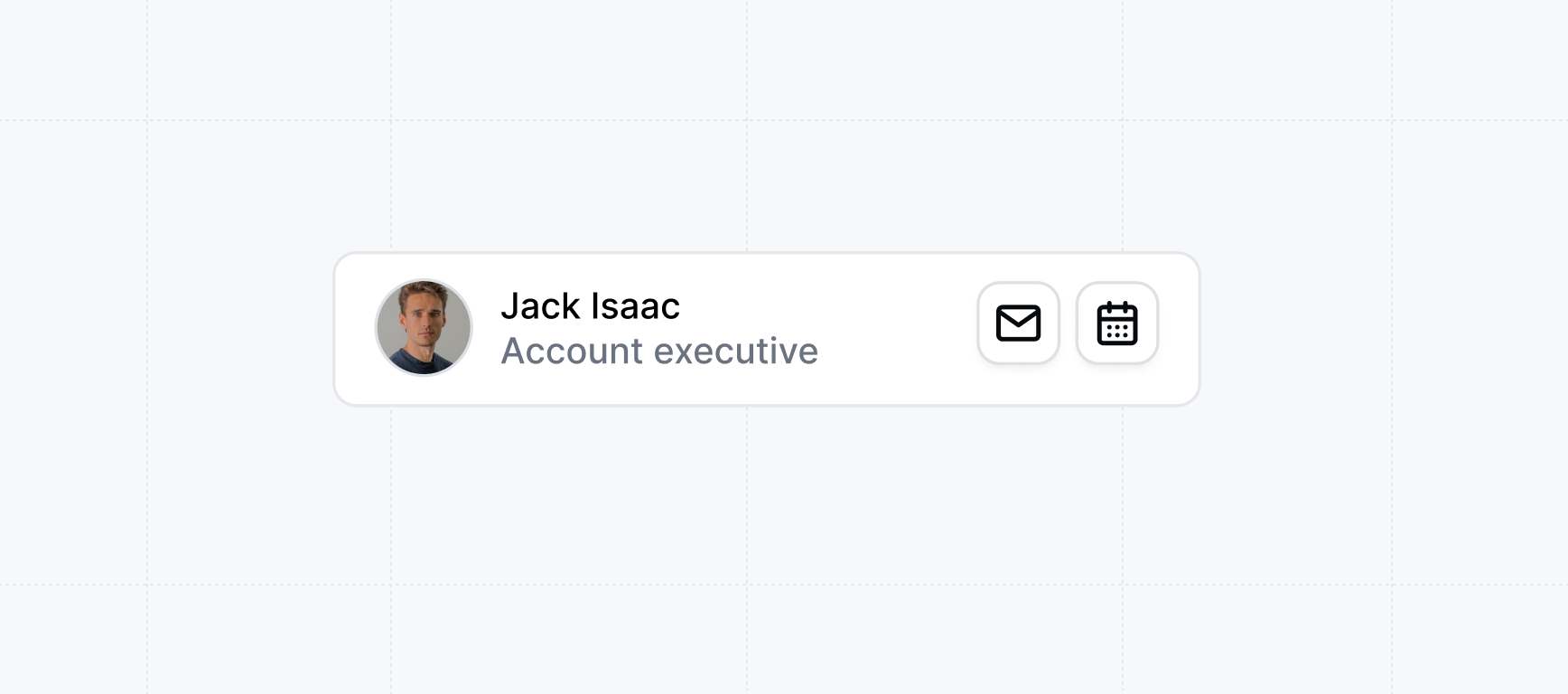 The **Rep Contact Card** is a card added to demos to provide a personal touch for buyers. It allows reps to add their public email address and public calendar link (to book calls). The contact card will be added to demos from links that reps create.
Any time while viewing the demo, buyers can choose to book time with the rep or send an email with follow up with questions.
## Creating the contact card
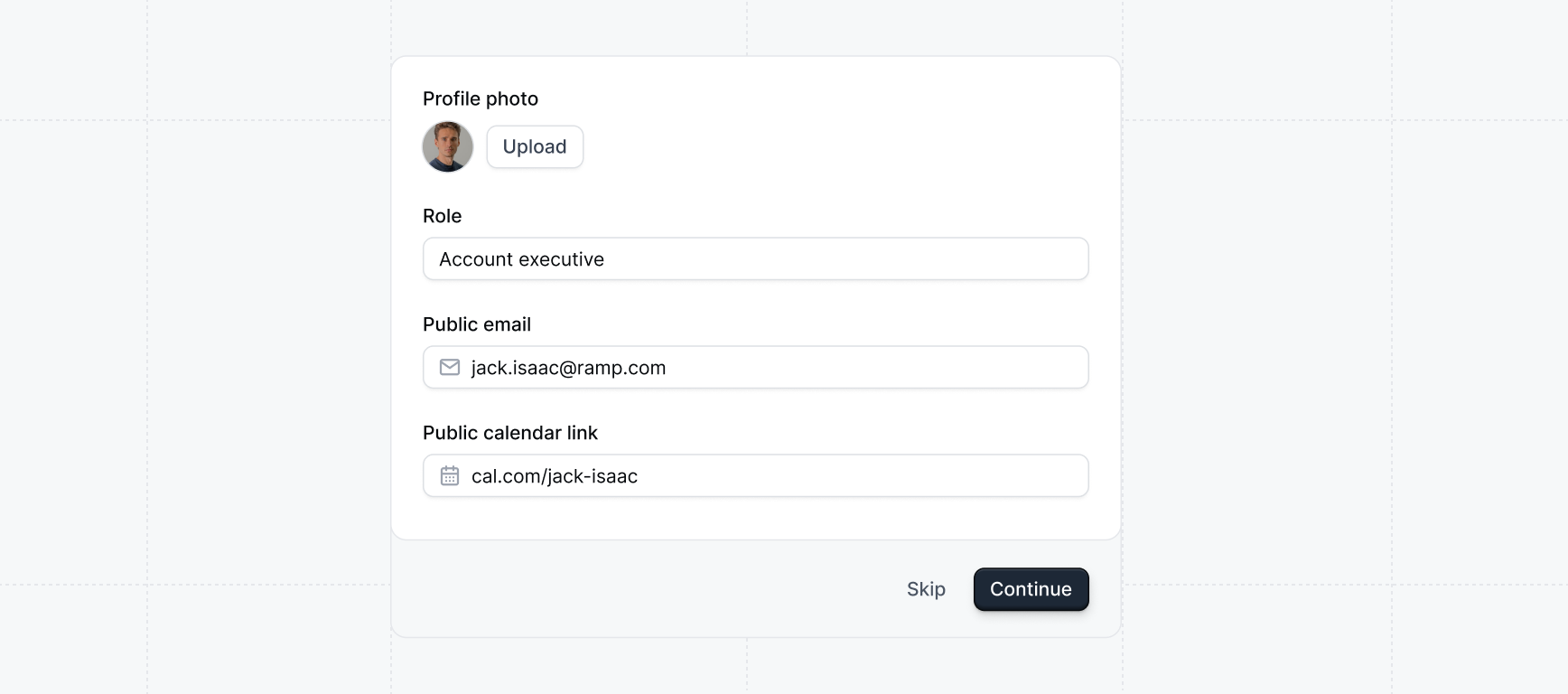
When reps onboard to the workspace, they can add their public email address and public calendar link (to book calls) to their contact card. The contact card will be added to demos on all future share links they create.
The **Rep Contact Card** is a card added to demos to provide a personal touch for buyers. It allows reps to add their public email address and public calendar link (to book calls). The contact card will be added to demos from links that reps create.
Any time while viewing the demo, buyers can choose to book time with the rep or send an email with follow up with questions.
## Creating the contact card
When reps onboard to the workspace, they can add their public email address and public calendar link (to book calls) to their contact card. The contact card will be added to demos on all future share links they create.
 ## Where the contact card will appear
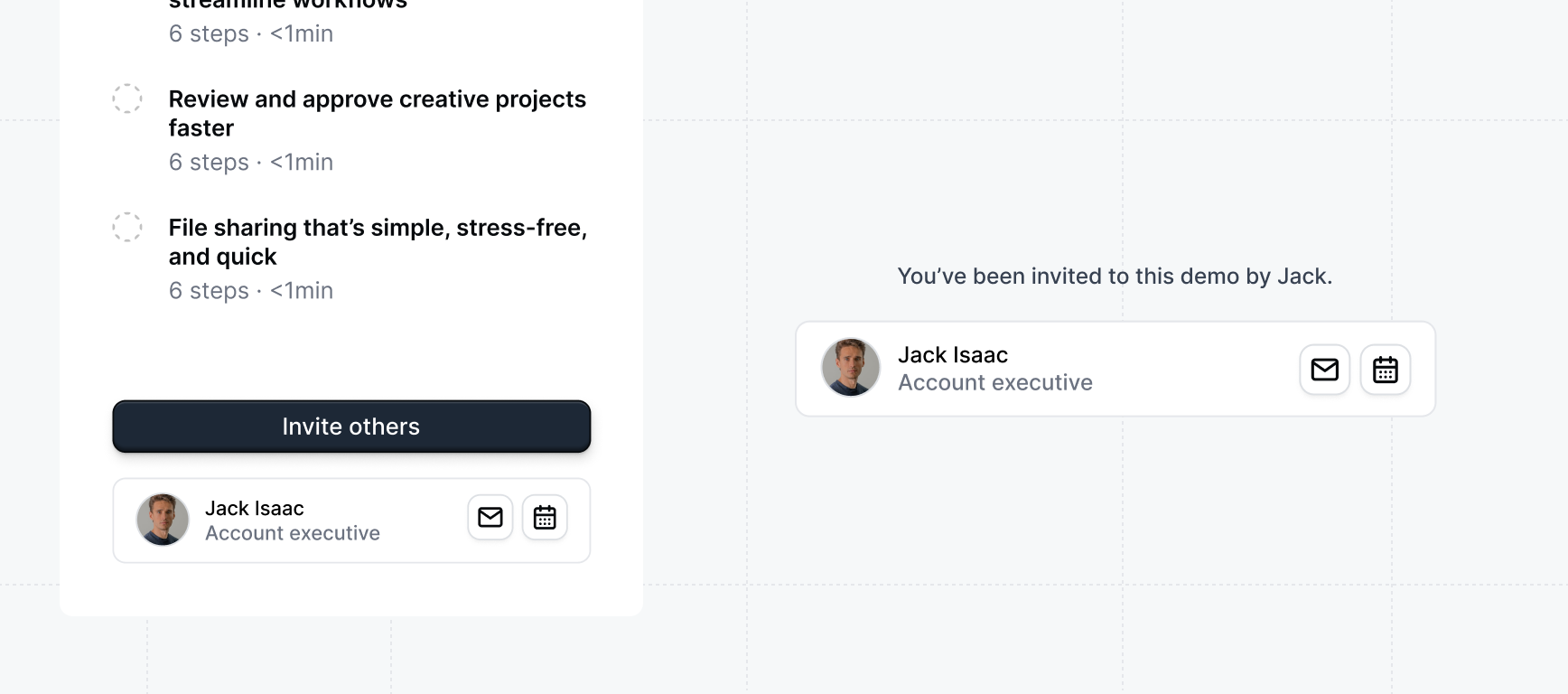
The rep contact card will be added to Sidebar checklists and to the Recipent Form Gate.
## Where the contact card will appear
The rep contact card will be added to Sidebar checklists and to the Recipent Form Gate.
 It's important to have **Sidebar checklists** enabled on demos where you'd like the Rep contact
card.
## Adding a book call CTA to demos
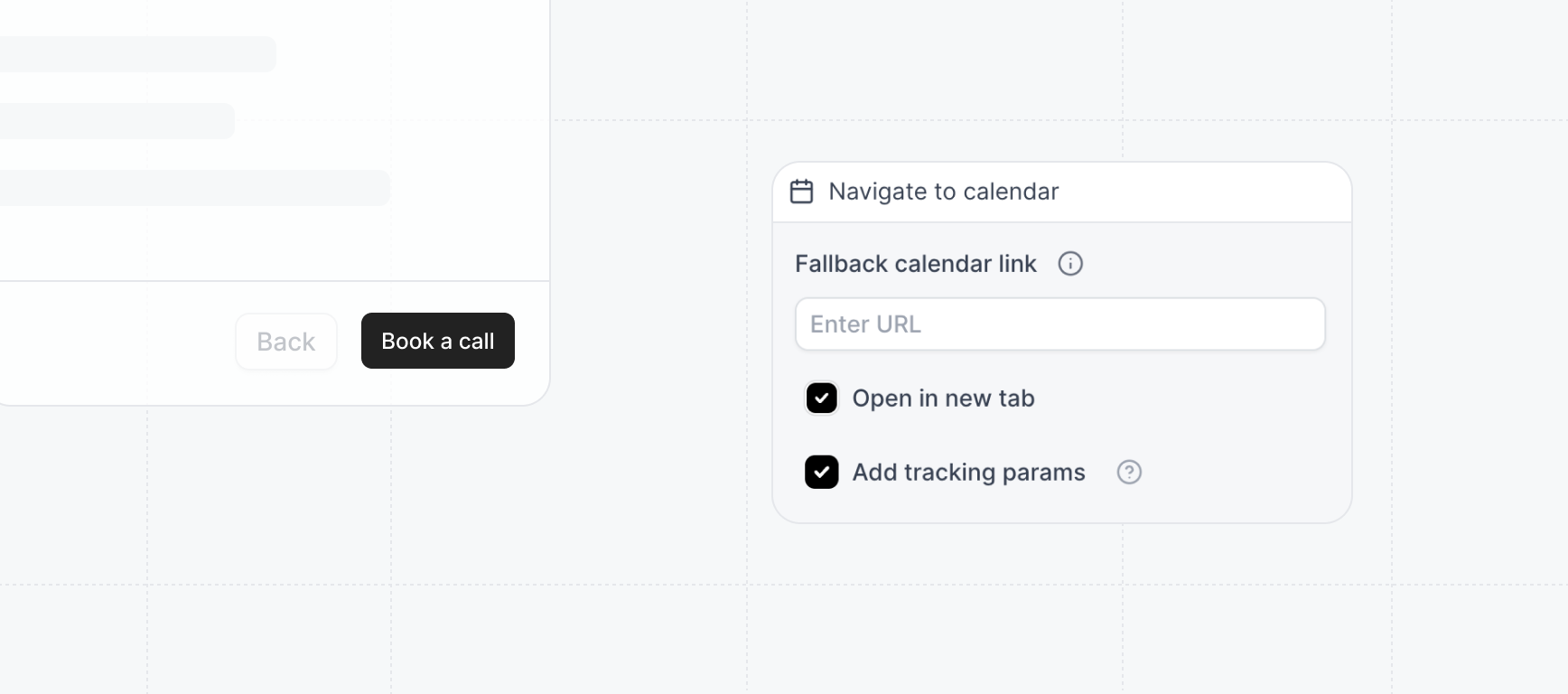
You can also add a book call CTA to demos by adding an action to any button in the demo. In the flow builder, click on any button and select `Add action`, `Navigate to calendar`.
It's important to have **Sidebar checklists** enabled on demos where you'd like the Rep contact
card.
## Adding a book call CTA to demos
You can also add a book call CTA to demos by adding an action to any button in the demo. In the flow builder, click on any button and select `Add action`, `Navigate to calendar`.
 The contact card is automatically included on all demo links that reps create from Launchpad. Reps cannot hide the contact card from individual share links.