> ## Documentation Index
> Fetch the complete documentation index at: https://docs.navattic.com/llms.txt
> Use this file to discover all available pages before exploring further.
# Interest demos
> Unlock a powerful insight - what features your visitors are interested in.
## Interest Area demos
We recommend leveraging **Interest Areas demos** on your marketing site to better understand what features visitors are exploring. These insights can help you optimize messaging, prioritize campaigns, and personalize follow-up based on real user behavior.
Interest area demos improve the experience for both website visitors and marketers:
**Relevant experiences**
Website visitors get to explore the features that matter most to them—at their own
pace—resulting in a more personalized and engaging first impression of your product.
**Actionable insights**
See which features generate the most engagement and use that data to inform content strategy,
refine ad targeting, or pass along intent signals to your sales team for smarter outreach.
## Building an Interest Area Demo
Follow these steps to create an Interest Area demo that your sales team can share for discovery:
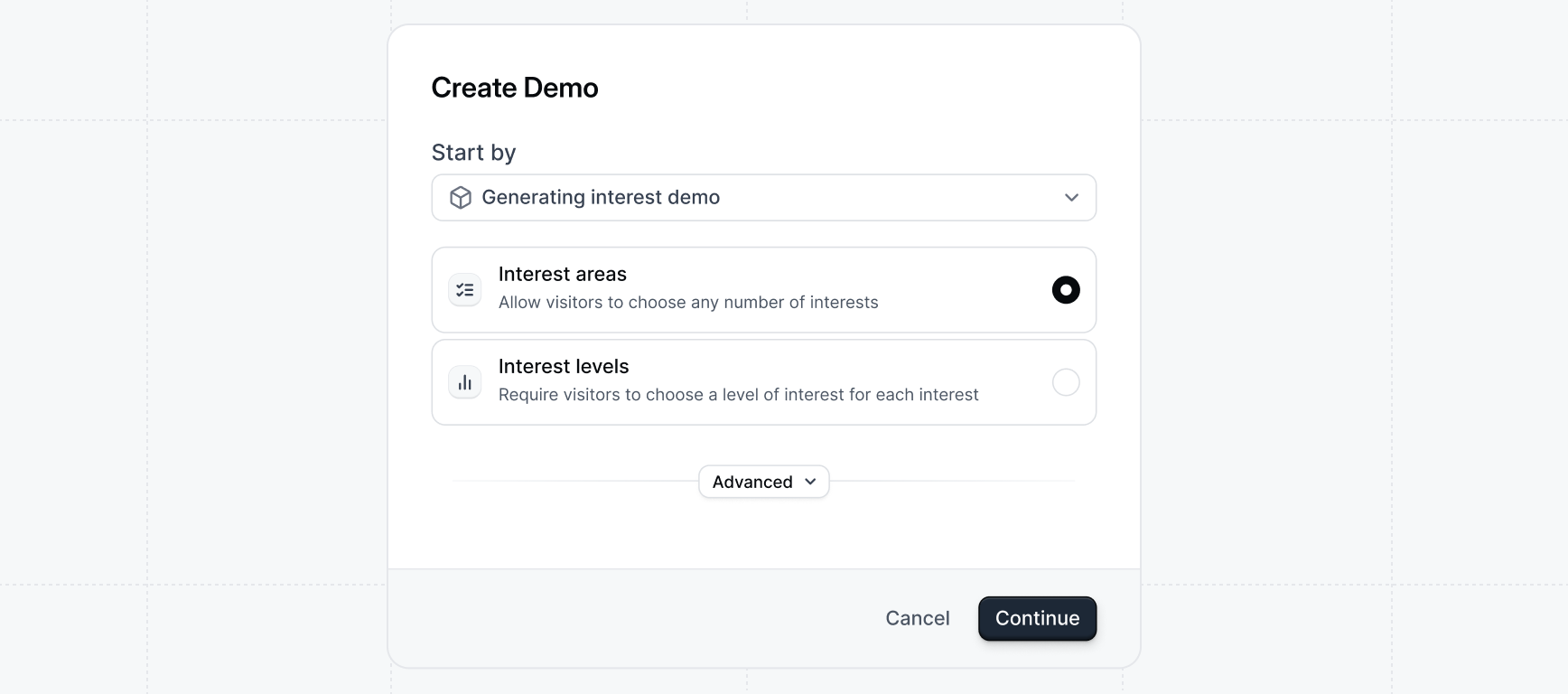
On the Product Demo page, select `+ Create new`. For `Start by` select
`Generating interest demo`. We recommend using `Interest areas` forms for
sales use cases to collect **the area of interest** a prospect has in
different features.
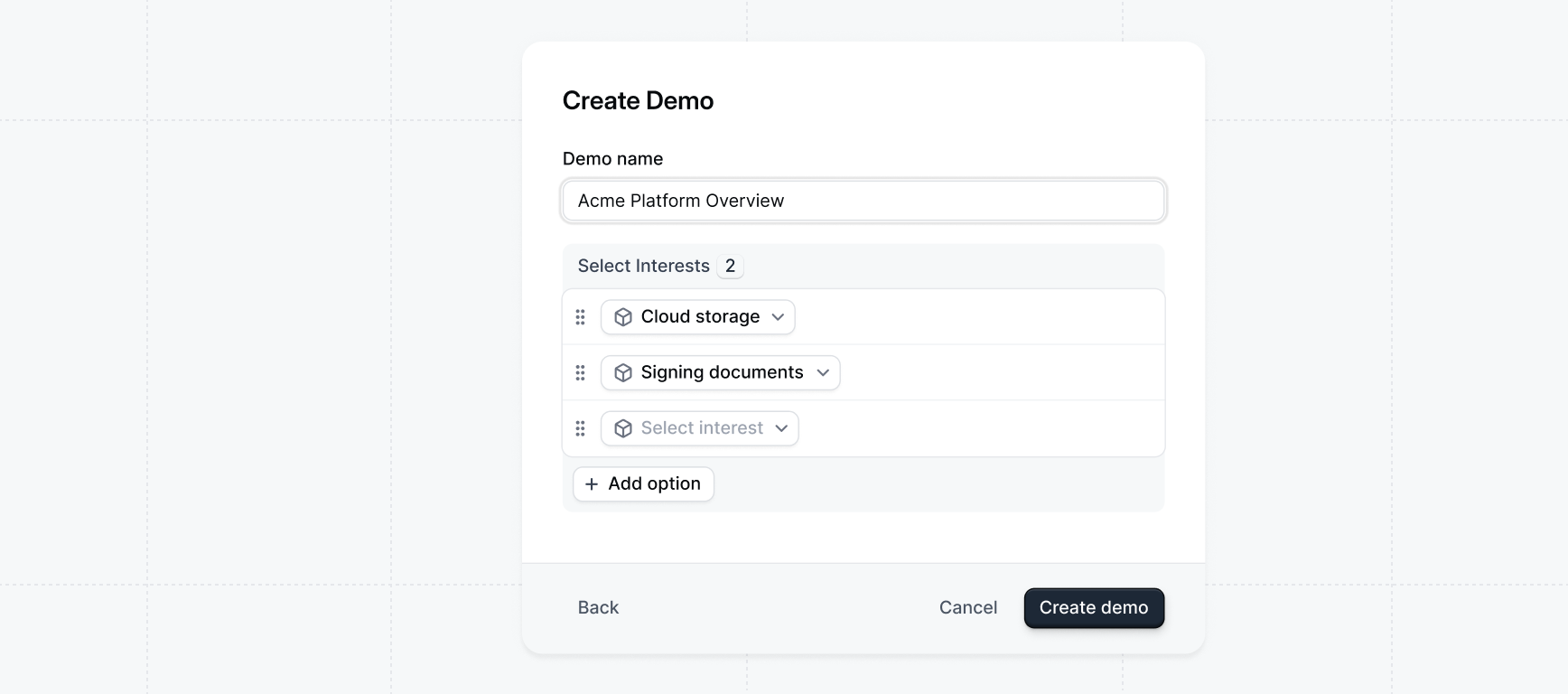
Select the Interests that you would like to include in your demo.
`Interests` are product or feature areas that a prospect might be interested
in. (ex. Payments, Credit Cards, Corporate Spending, Payroll, etc).
You will be generating a flow (5-15 steps recommended) for each Interest.
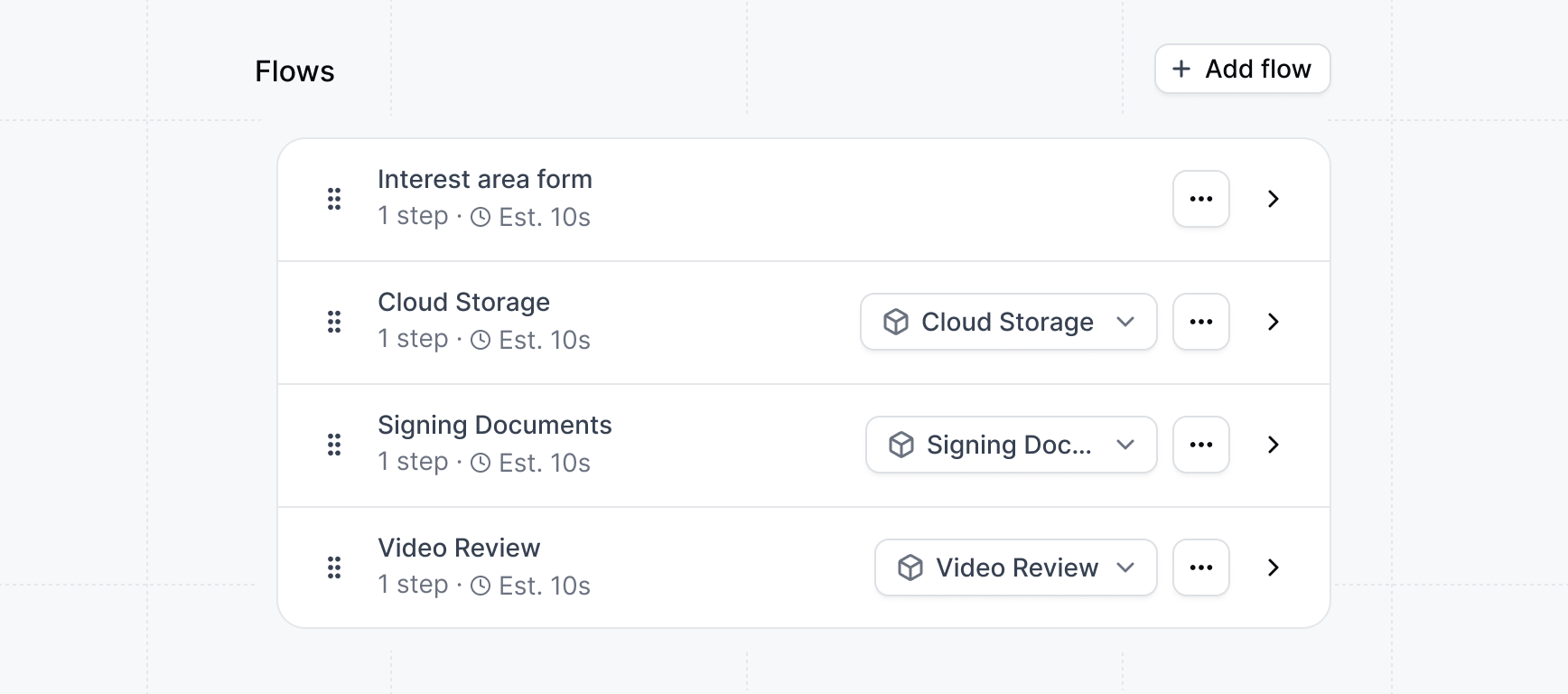
After clicking `Create demo` an Interest Area form will be added to the first flow, a flow will be created for each interest, and a checklist task will be created for each flow.
Now you can open and edit each flow to complete the demo.
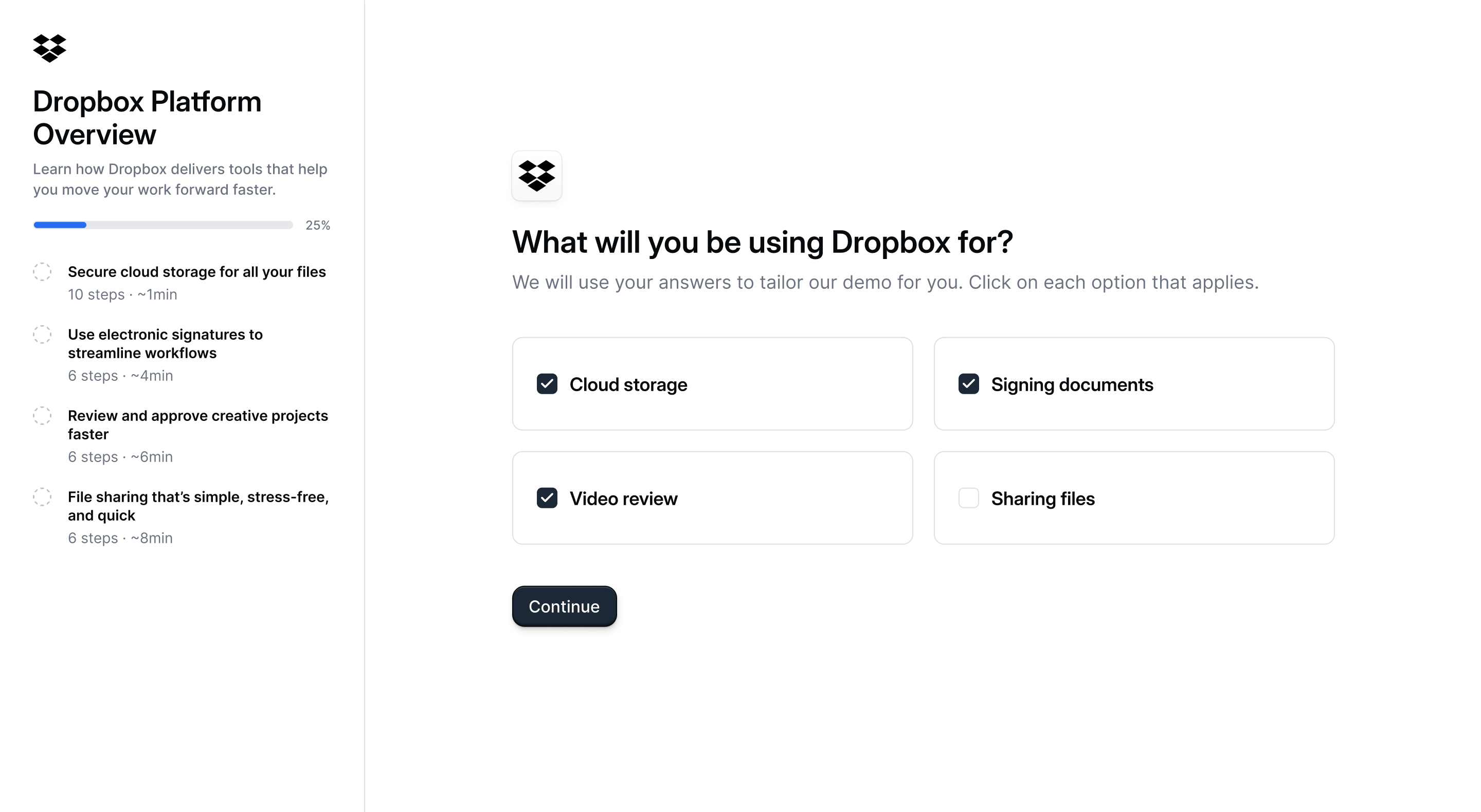
**Congratulations** -- you've finished building your first
**Interest areas demo** and it's ready to share!
Interest areas demos are a powerful tool for marketing teams to uncover what resonates most with site visitors—before they ever fill out a form.
They’re especially useful for capturing product interest on your website, helping you refine messaging and pass along valuable signals to your sales team.
 ## Interest Area demos
We recommend leveraging
## Interest Area demos
We recommend leveraging