> ## Documentation Index
> Fetch the complete documentation index at: https://docs.navattic.com/llms.txt
> Use this file to discover all available pages before exploring further.
# Review
> Get an AI demo score based on highest-performing benchmarks and one-click apply suggestions.
Copilot Review is available on Base, Growth, and Enterprise plans. Please reach out to your account manager or [support@navattic.com](mailto:support@navattic.com) to learn more.
Copilot Review analyzes your demo for structure, clarity, and engagement—then lets you one-click apply suggestions. It scores your demo against our highest-performing benchmarks and provides actionable feedback to help you create more engaging, polished experiences before sharing with your audience.
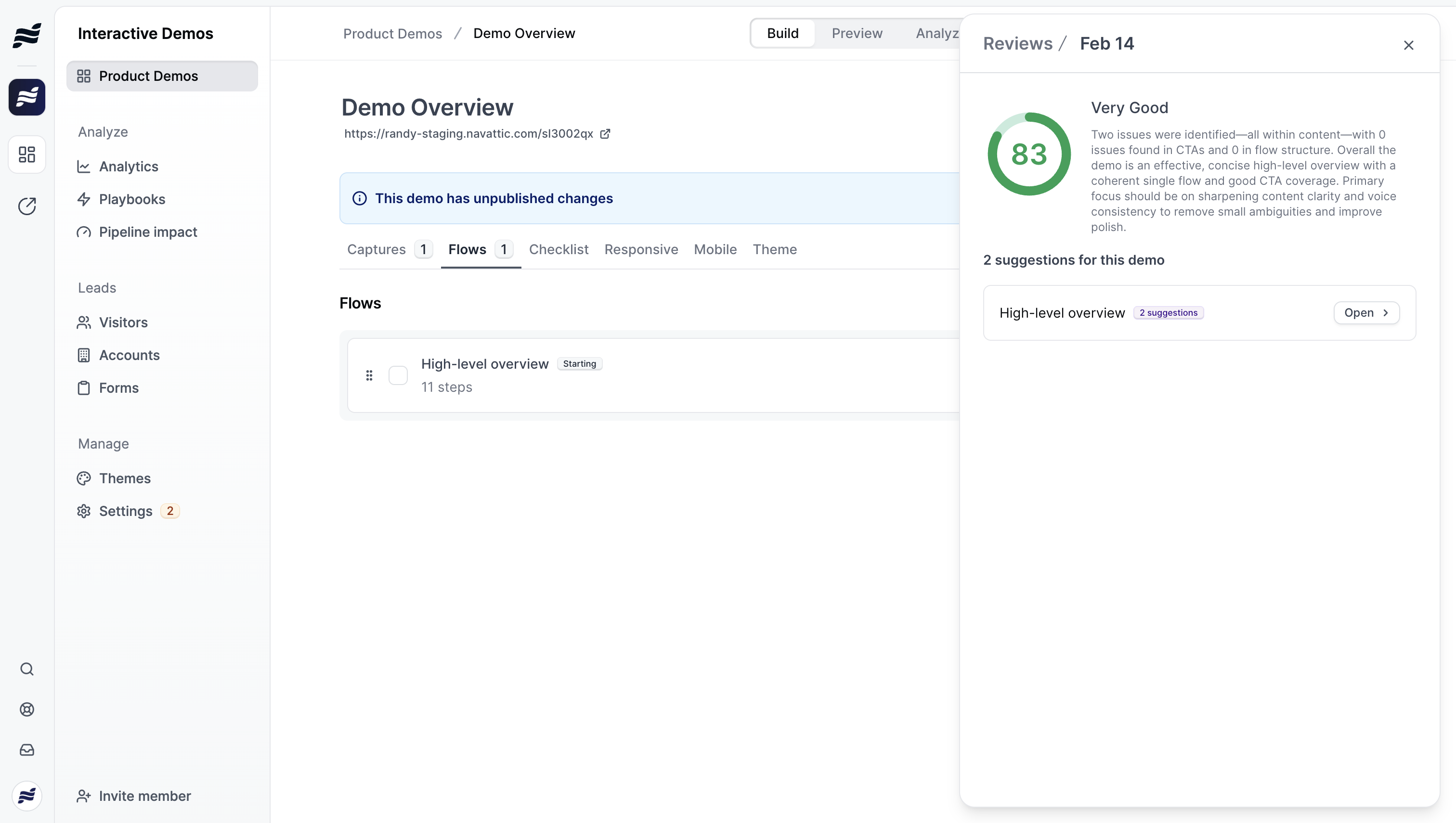 ## How to Run a Review
You can run reviews at two levels:
* **Product Demo level** - Review all flows in your demo at once from the demo overview
* **Flow level** - Review a single flow from within the flow builder
To start a review:
1. Open your demo or flow in the builder
2. Click the **Review** button in the header
3. Click **Start review** to begin the analysis
4. Copilot will analyze your content and generate a quality score along with specific suggestions
## How to Run a Review
You can run reviews at two levels:
* **Product Demo level** - Review all flows in your demo at once from the demo overview
* **Flow level** - Review a single flow from within the flow builder
To start a review:
1. Open your demo or flow in the builder
2. Click the **Review** button in the header
3. Click **Start review** to begin the analysis
4. Copilot will analyze your content and generate a quality score along with specific suggestions
 ## Understanding Your Review
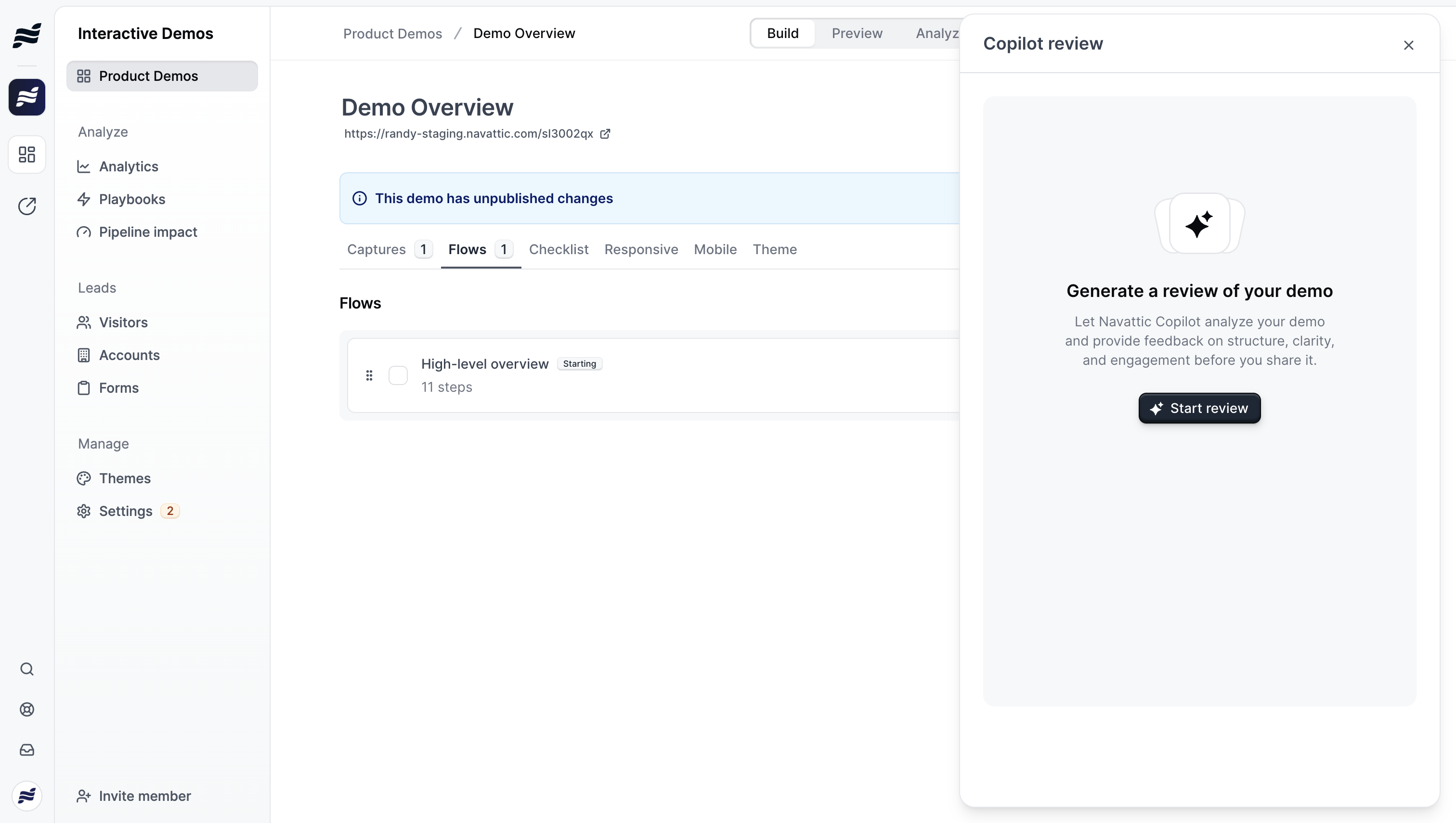
### Quality Score
Your demo receives an overall quality score based on our highest-performing benchmarks, reflecting structure, clarity, and engagement potential. Scores are categorized as:
* **Excellent**
* **Good**
* **Needs Improvement**
### Summary
A brief overview of your demo's strengths and areas for improvement.
### Suggestions by Flow
Suggestions are organized by flow, showing how many are pending, accepted, or rejected for each. Click into any flow to see and act on specific suggestions.
## Types of Suggestions
Copilot Review identifies opportunities across several categories:
### Content Improvements
* **Improve Writing** - Suggestions to make text more concise and action-oriented
* **Fix Grammar** - Corrections for grammatical errors
* **Fix Tone** - Adjustments to match your desired professional or casual tone
* **Improve CTA** - Better call-to-action text for buttons
### Data & Personalization
* **Personalize Content** - Opportunities to add personalization variables (like company name or user name)
* **Refresh Dates** - Outdated dates that should show relative or current times
### Visual & Technical
* **Remove Overlay** - Distracting elements (like cookie banners) that should be hidden
* **Animate Text** - Elements that would benefit from typewriter-style animations
* **Edit Table/Chart** - Data visualizations that could be improved
## Acting on Suggestions
## Understanding Your Review
### Quality Score
Your demo receives an overall quality score based on our highest-performing benchmarks, reflecting structure, clarity, and engagement potential. Scores are categorized as:
* **Excellent**
* **Good**
* **Needs Improvement**
### Summary
A brief overview of your demo's strengths and areas for improvement.
### Suggestions by Flow
Suggestions are organized by flow, showing how many are pending, accepted, or rejected for each. Click into any flow to see and act on specific suggestions.
## Types of Suggestions
Copilot Review identifies opportunities across several categories:
### Content Improvements
* **Improve Writing** - Suggestions to make text more concise and action-oriented
* **Fix Grammar** - Corrections for grammatical errors
* **Fix Tone** - Adjustments to match your desired professional or casual tone
* **Improve CTA** - Better call-to-action text for buttons
### Data & Personalization
* **Personalize Content** - Opportunities to add personalization variables (like company name or user name)
* **Refresh Dates** - Outdated dates that should show relative or current times
### Visual & Technical
* **Remove Overlay** - Distracting elements (like cookie banners) that should be hidden
* **Animate Text** - Elements that would benefit from typewriter-style animations
* **Edit Table/Chart** - Data visualizations that could be improved
## Acting on Suggestions
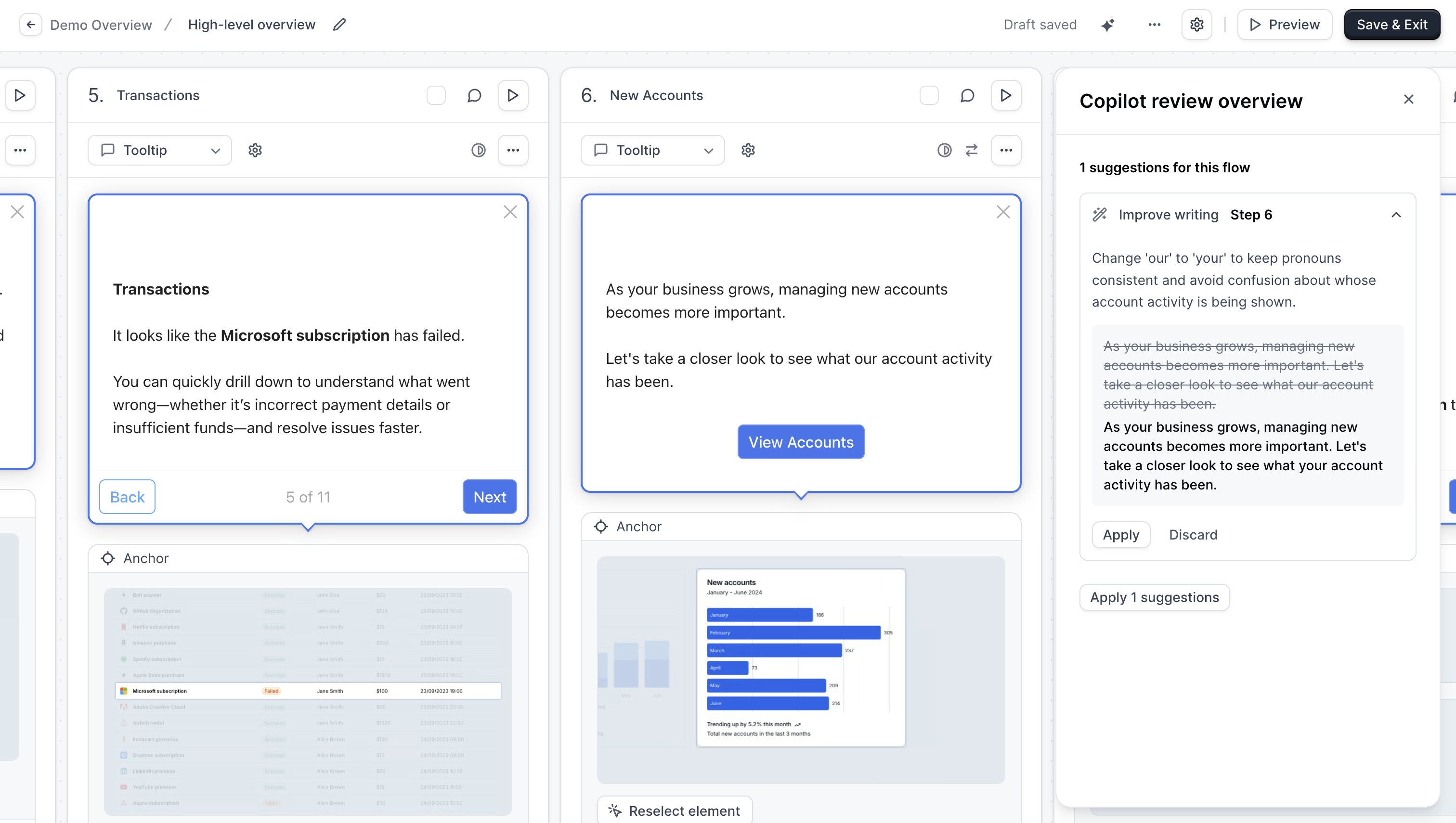 For each suggestion, you can:
* **Accept** - Apply the recommended change to your demo
* **Dismiss** - Ignore the suggestion if it doesn't apply
* **Apply All** - Accept all pending suggestions at once
* **Dismiss All** - Clear all pending suggestions
## Review History
Copilot saves your review history, so you can:
* Compare quality scores over time
* See which suggestions you've acted on
* Run new reviews after making changes to track improvement
For each suggestion, you can:
* **Accept** - Apply the recommended change to your demo
* **Dismiss** - Ignore the suggestion if it doesn't apply
* **Apply All** - Accept all pending suggestions at once
* **Dismiss All** - Clear all pending suggestions
## Review History
Copilot saves your review history, so you can:
* Compare quality scores over time
* See which suggestions you've acted on
* Run new reviews after making changes to track improvement